> ## Documentation Index
> Fetch the complete documentation index at: https://help.polygon-one.com/llms.txt
> Use this file to discover all available pages before exploring further.
# Export
> Export orders and DDS
## Overview
Export your orders, linked to your DDS, for customs clearance, internal documentation, or sharing with authorities.
## Export Orders
Navigate to the **Orders** area.
Use the filter function: by type (purchase/sale), supplier, EUDR relevance, DDS reference, or commodity.
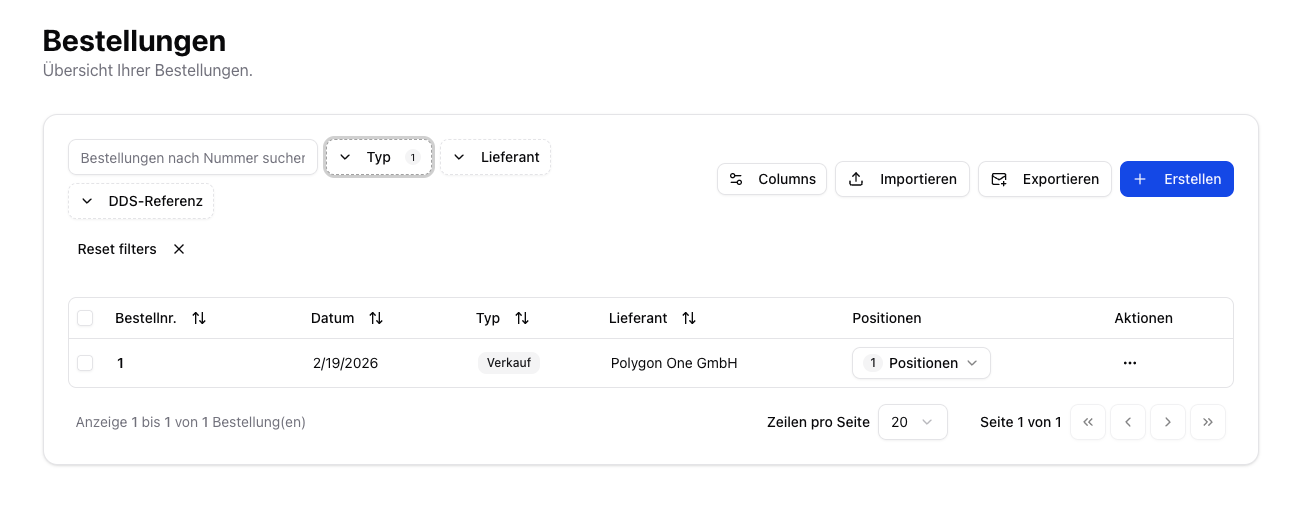 Click **"Export"** to download the selected orders as a CSV file.
## Export DDS Statements
From the DDS detail view, you can export individual or all Due Diligence Statements:
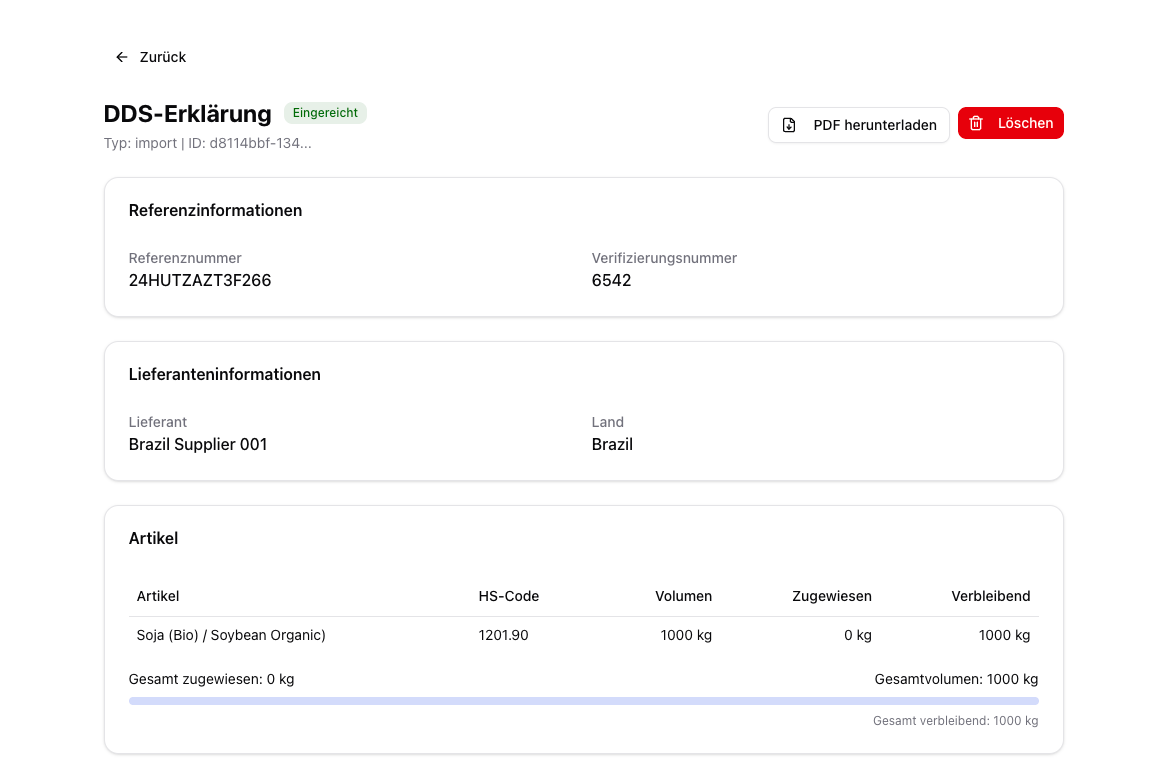
In the DDS overview, click **"View details"** on the desired DDS, or click the DDS reference number highlighted in blue.
Click **"Download PDF"** for a printable version of the DDS.
Click **"Export"** to download the selected orders as a CSV file.
## Export DDS Statements
From the DDS detail view, you can export individual or all Due Diligence Statements:
In the DDS overview, click **"View details"** on the desired DDS, or click the DDS reference number highlighted in blue.
Click **"Download PDF"** for a printable version of the DDS.
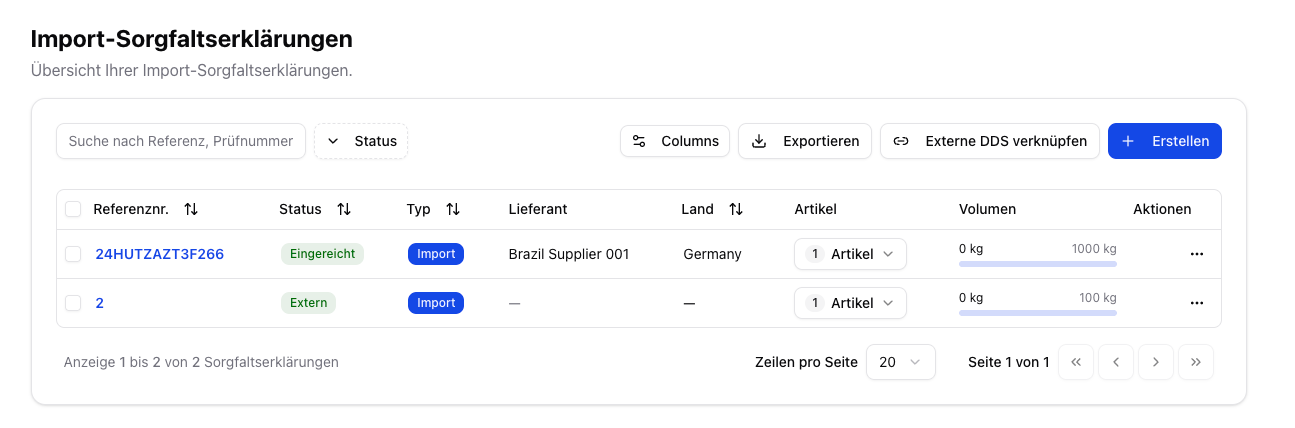
 Alternatively, click **"Export"** next to the DDS table for a data export of all DDS.
 ## Exported Data
The exported CSV file contains one row per DDS with the following columns:
### DDS Master Data
| Column | Description | Example |
| ----------------------- | ----------------------------------------------------------------------- | -------------------------------------- |
| **DDS ID** | System-internal unique ID (UUID) | `d8114bbf-134c-4609-96be-b545b6882f36` |
| **Reference number** | Official DDS reference number from EU TRACES | `24HUTZAZT3F266` |
| **Verification number** | Verification number for customs clearance | `6542` |
| **Status** | Current DDS status (e.g. `submitted`, `validated`, `draft`, `external`) | `submitted` |
| **Type** | Activity type (`import`, `export`, `trade`, `domestic_production`) | `import` |
| **Country** | Country of the operator | `Germany` |
| **Submitted on** | Date of submission to TRACES (ISO format) | `2026-02-19` |
### Supplier & Article
| Column | Description | Example |
| -------------------- | --------------------------------- | ------------------------------ |
| **Supplier** | Name of the assigned supplier | `Brazil Supplier 001` |
| **Supplier country** | Country of origin of the supplier | `Brazil` |
| **Article** | Article name/designation | `Soja (Bio) / Soybean Organic` |
| **HS code** | Harmonized customs tariff code | `1201.90` |
### Volume
| Column | Description | Example |
| ------------------------- | ----------------------------------------- | ------- |
| **Volume (kg)** | Total volume of the DDS in kilograms | `1000` |
| **Assigned volume (kg)** | Volume already assigned through orders | `0` |
| **Remaining volume (kg)** | Volume still available for further orders | `1000` |
### Area Data & Geolocation
| Column | Description | Example |
| ------------------ | ----------------------------------------------- | ------------------------------------- |
| **Plot name** | Name of the production area | `PLT-BR-001-A` |
| **Plot country** | Country of the production area | `Brazil` |
| **Latitude** | GPS latitude (decimal degrees) | `-4.934206` |
| **Longitude** | GPS longitude (decimal degrees) | `-58.897204` |
| **Plot size (ha)** | Size of the area in hectares | `412.76` |
| **Plot GeoJSON** | Complete geometry of the area in GeoJSON format | `{"type":"Feature","geometry":{...}}` |
For DDS with the status **`external`** (created outside Polygon One), fields such as country, submitted on, supplier country, and plot data may be empty — only the reference number and verification number are captured.
From the DDS detail view, you can submit a DDS in draft status to TRACES directly. The **"Verify status in TRACES"** feature is currently in preparation and not yet available.
For customs clearance, both the **DDS reference number** and the **verification number** are required. Both are included in the export file and the PDF version.
## Exported Data
The exported CSV file contains one row per DDS with the following columns:
### DDS Master Data
| Column | Description | Example |
| ----------------------- | ----------------------------------------------------------------------- | -------------------------------------- |
| **DDS ID** | System-internal unique ID (UUID) | `d8114bbf-134c-4609-96be-b545b6882f36` |
| **Reference number** | Official DDS reference number from EU TRACES | `24HUTZAZT3F266` |
| **Verification number** | Verification number for customs clearance | `6542` |
| **Status** | Current DDS status (e.g. `submitted`, `validated`, `draft`, `external`) | `submitted` |
| **Type** | Activity type (`import`, `export`, `trade`, `domestic_production`) | `import` |
| **Country** | Country of the operator | `Germany` |
| **Submitted on** | Date of submission to TRACES (ISO format) | `2026-02-19` |
### Supplier & Article
| Column | Description | Example |
| -------------------- | --------------------------------- | ------------------------------ |
| **Supplier** | Name of the assigned supplier | `Brazil Supplier 001` |
| **Supplier country** | Country of origin of the supplier | `Brazil` |
| **Article** | Article name/designation | `Soja (Bio) / Soybean Organic` |
| **HS code** | Harmonized customs tariff code | `1201.90` |
### Volume
| Column | Description | Example |
| ------------------------- | ----------------------------------------- | ------- |
| **Volume (kg)** | Total volume of the DDS in kilograms | `1000` |
| **Assigned volume (kg)** | Volume already assigned through orders | `0` |
| **Remaining volume (kg)** | Volume still available for further orders | `1000` |
### Area Data & Geolocation
| Column | Description | Example |
| ------------------ | ----------------------------------------------- | ------------------------------------- |
| **Plot name** | Name of the production area | `PLT-BR-001-A` |
| **Plot country** | Country of the production area | `Brazil` |
| **Latitude** | GPS latitude (decimal degrees) | `-4.934206` |
| **Longitude** | GPS longitude (decimal degrees) | `-58.897204` |
| **Plot size (ha)** | Size of the area in hectares | `412.76` |
| **Plot GeoJSON** | Complete geometry of the area in GeoJSON format | `{"type":"Feature","geometry":{...}}` |
For DDS with the status **`external`** (created outside Polygon One), fields such as country, submitted on, supplier country, and plot data may be empty — only the reference number and verification number are captured.
From the DDS detail view, you can submit a DDS in draft status to TRACES directly. The **"Verify status in TRACES"** feature is currently in preparation and not yet available.
For customs clearance, both the **DDS reference number** and the **verification number** are required. Both are included in the export file and the PDF version.