> ## Documentation Index
> Fetch the complete documentation index at: https://help.polygon-one.com/llms.txt
> Use this file to discover all available pages before exploring further.
# Messages
> Communicate with suppliers via the Messages page
## Overview
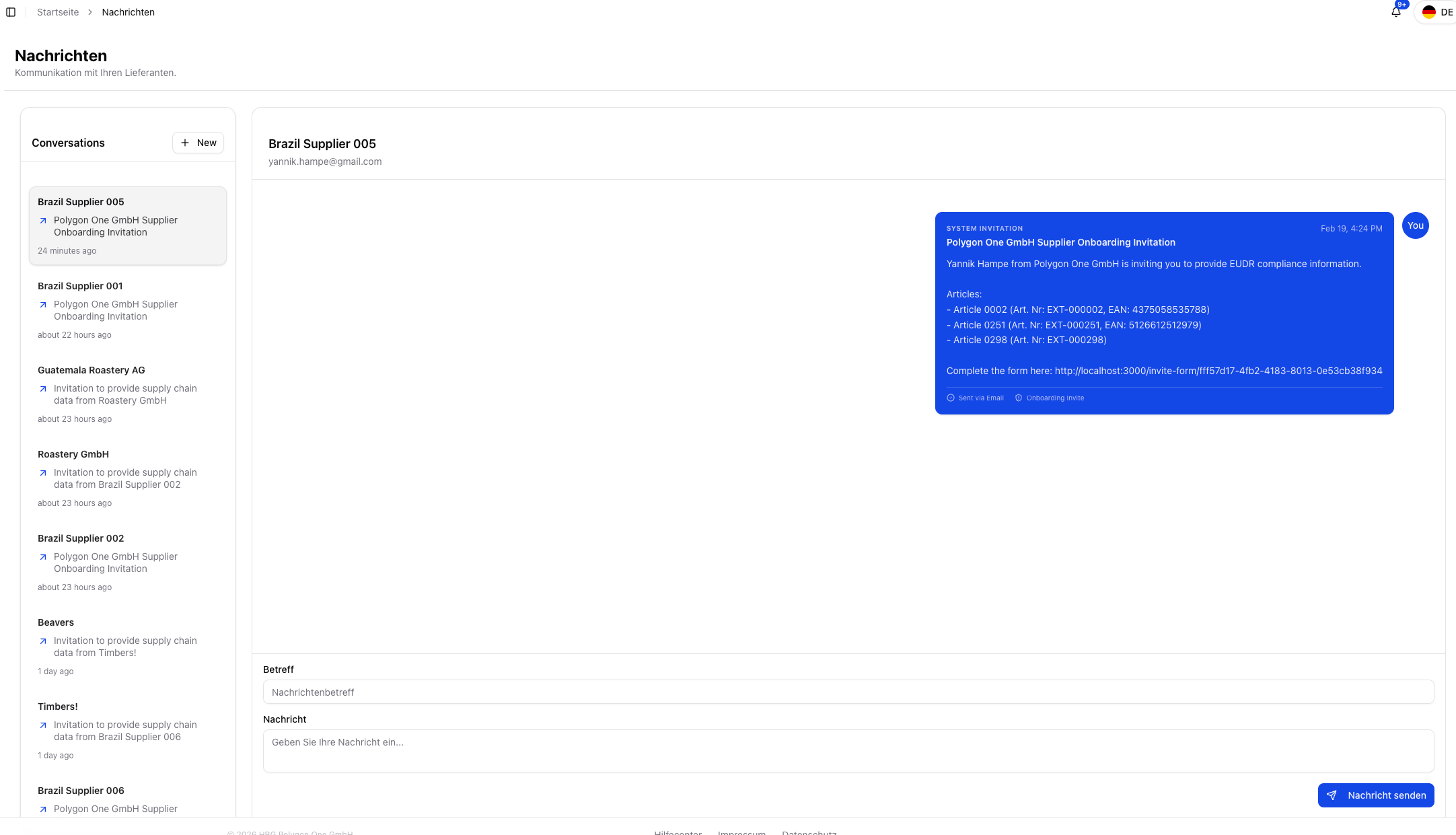
The **Messages** page is the central place for communicating with your suppliers within Polygon One. Here you can see all conversations in one place and send new messages directly from the platform.
 ## Features
* **Message overview** — All conversations with suppliers in one place
* **Direct communication** — Send messages to suppliers without leaving the platform
* **Compose a new message** — Enter a subject and message text and send it to the supplier
* **Supplier context** — Jump directly into the relevant conversation from supply chain and compliance views
## Send a Message
Navigate to the **Messages** area.
Select the supplier and enter a **subject** and **message text**.
Click **"Send message"**. The supplier is notified by email.
The messaging system is especially useful when documents have been rejected during [risk remediation](/en/eudr/datensammlung/risiko-behebung), when updates are missing, or when you want to contact suppliers directly from the [Supply Chain Overview](/en/eudr/optional/supply-chain).
## Features
* **Message overview** — All conversations with suppliers in one place
* **Direct communication** — Send messages to suppliers without leaving the platform
* **Compose a new message** — Enter a subject and message text and send it to the supplier
* **Supplier context** — Jump directly into the relevant conversation from supply chain and compliance views
## Send a Message
Navigate to the **Messages** area.
Select the supplier and enter a **subject** and **message text**.
Click **"Send message"**. The supplier is notified by email.
The messaging system is especially useful when documents have been rejected during [risk remediation](/en/eudr/datensammlung/risiko-behebung), when updates are missing, or when you want to contact suppliers directly from the [Supply Chain Overview](/en/eudr/optional/supply-chain).