

Overview
Under PPWR → EPR & reporting → Volume reporting (/packaging/mengenmeldung) you capture the volumes placed on the market per reporting year and market, and generate a validated XML file for the LUCID data report from them.
Six registers are supported: LUCID (DE) produces an uploadable XML file; Verpact (NL),
ARA (AT), BDO (PL), MITECO (ES) and CONAI (IT) produce a transcription worksheet
you type into the national portal. The whole flow is also available over the API — see the
PPWR API.
Capturing volumes
Capture is per reporting year (Reporting year) and market. In the Volumes placed on the market table, you enter, per packaging unit, the number of units placed on the market in the reporting year. Enter each unit’s total on one level only — without size or per size.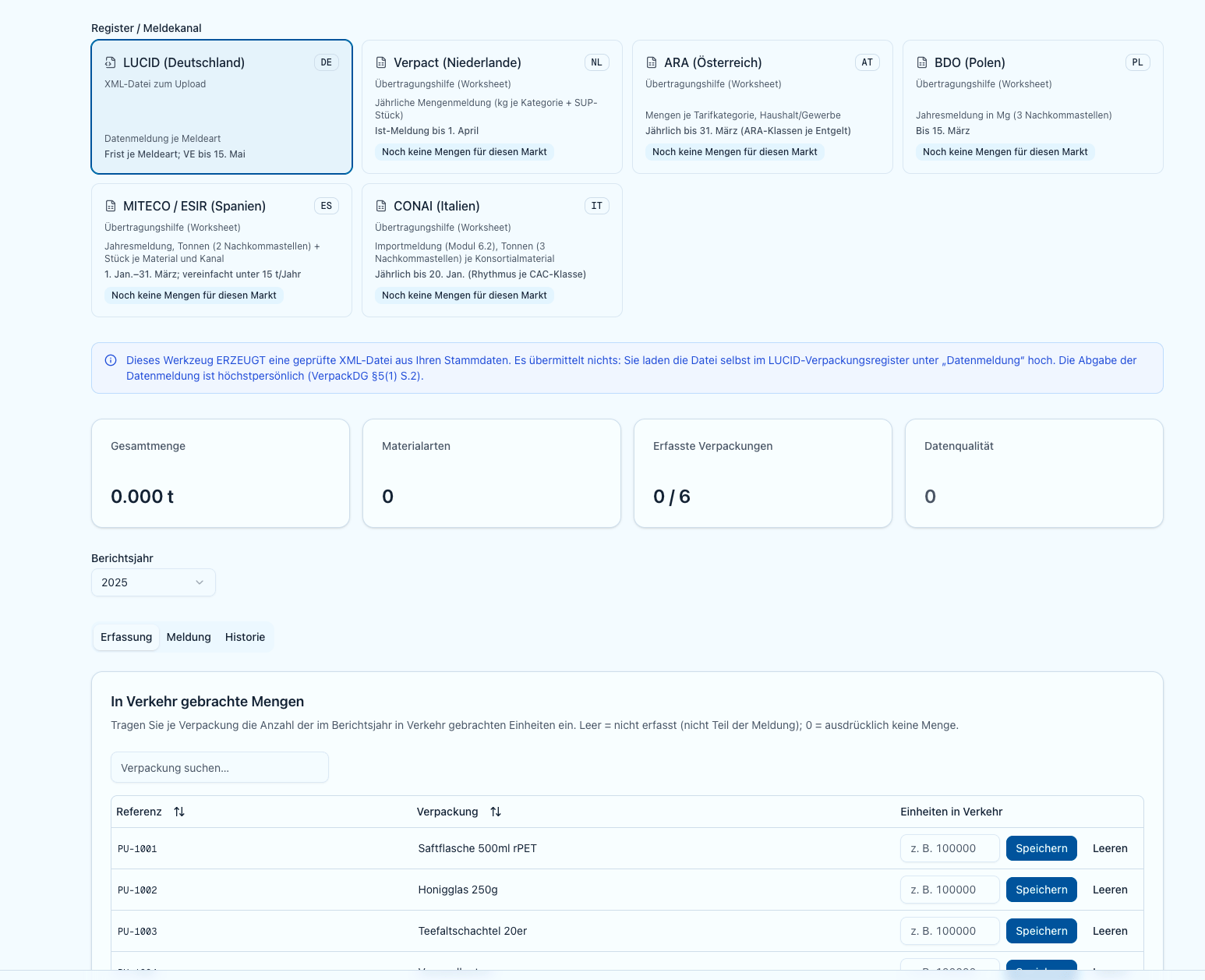
Capturing the volumes placed on the market per packaging unit
Blank does not mean 0. An empty field means “un-entered” — the unit is not part of the report. An explicit 0 means “no volume placed” and counts with zero weight.
What is computed and what is entered
In the Preview per material type you see how the reported volumes are computed; expand a row to see the per-unit derivation (
{grams} g × {quantity} × {units} = {kg}).
Direct volumes per material type (overrides)
Under Direct volumes per material type you enter a volume in kilograms directly for a ZSVR material type. Such a value replaces the derived volume for that material type (it never sums) and covers cases the model splits more coarsely (metal → ferrous/aluminium; composite → beverage carton/other composite packaging).ZSVR material types
Volumes are reported in eight ZSVR material types:Data quality
If a volume cannot be unambiguously assigned to a material type, Polygon One reports this under Cannot report – data quality — e.g. when a component has no mass, a material is not clearly derivable (metal/composite), or a component lists several materials. Mass is never silently dropped; every gram must land in exactly one material type or be entered directly.Reusable packaging is excluded
Under the German VerpackG, reusable packaging is not subject to system participation. Polygon One therefore takes it out of the LUCID volume report rather than merely flagging it:- In the volume editor every affected row carries the badge Reusable · excluded. The unit stays visible and you can still enter volumes — they simply do not feed the ZSVR material types.
- The preview shows the note Reusable packaging excluded with a summary of how many units and how many placed items were excluded.
- If all captured packaging is reusable, Polygon One reports All entered packaging is reusable — “There are no system-participating volumes to report to LUCID. No XML file will be generated.”
This exclusion applies to the LUCID volume report. The worksheets for the other registers have their own reusable sections and notes; check the footnotes of the worksheet in question there.
Completeness declaration — thresholds
Above certain annual volumes, an audited completeness declaration (Vollständigkeitserklärung) is additionally due via LUCID. Volume reporting evaluates your captured volumes and shows a notice banner as soon as a threshold is likely exceeded.
The banner “Completeness declaration likely required” lists the affected groups and points out the deadline: the audited completeness declaration is likely due via LUCID by 15 May.
The banner is a heads-up, not a verdict — verify against your actual placed-on-market volumes. The completeness declaration itself is not generated here.
Generating the validated XML file
1
Enter the system operator ID and report type
In the Generate file section, enter the System operator ID (SystemOperatorID) of the dual system (format: 2 letters + 13 digits, e.g.
DE0000000000000) and the report type.2
Generate the XML
Click “Generate XML”. The file is validated against the official ZSVR schema (XSD). Regenerating replaces the previous active version.
3
Download and upload
Download the file under Generated reports via “Download XML” and upload it in the LUCID Packaging Register under “Datenmeldung”. “Open LUCID” takes you straight there.
EPR Registration
Register first: determine which member states require producer registration.