

This page summarises Regulation (EU) 2025/40 and the European Commission’s FAQ and describes how Polygon One works with them. It is not legal advice. The Commission FAQ is interpretive guidance and binds neither national authorities nor courts. Check your specific case with your legal counsel.
Overview
A “producer” in the EPR sense (extended producer responsibility, Art. 44–45 PPWR) is a separate role per member state with registration and financing obligations — in Germany via LUCID/ZSVR. The EPR registration assistant under EPR & reporting → EPR registration (/packaging/epr) helps you keep track:
- determine which member states you must register in,
- prepare the registration data,
- open the relevant national portal, and
- track your registration numbers and their status.
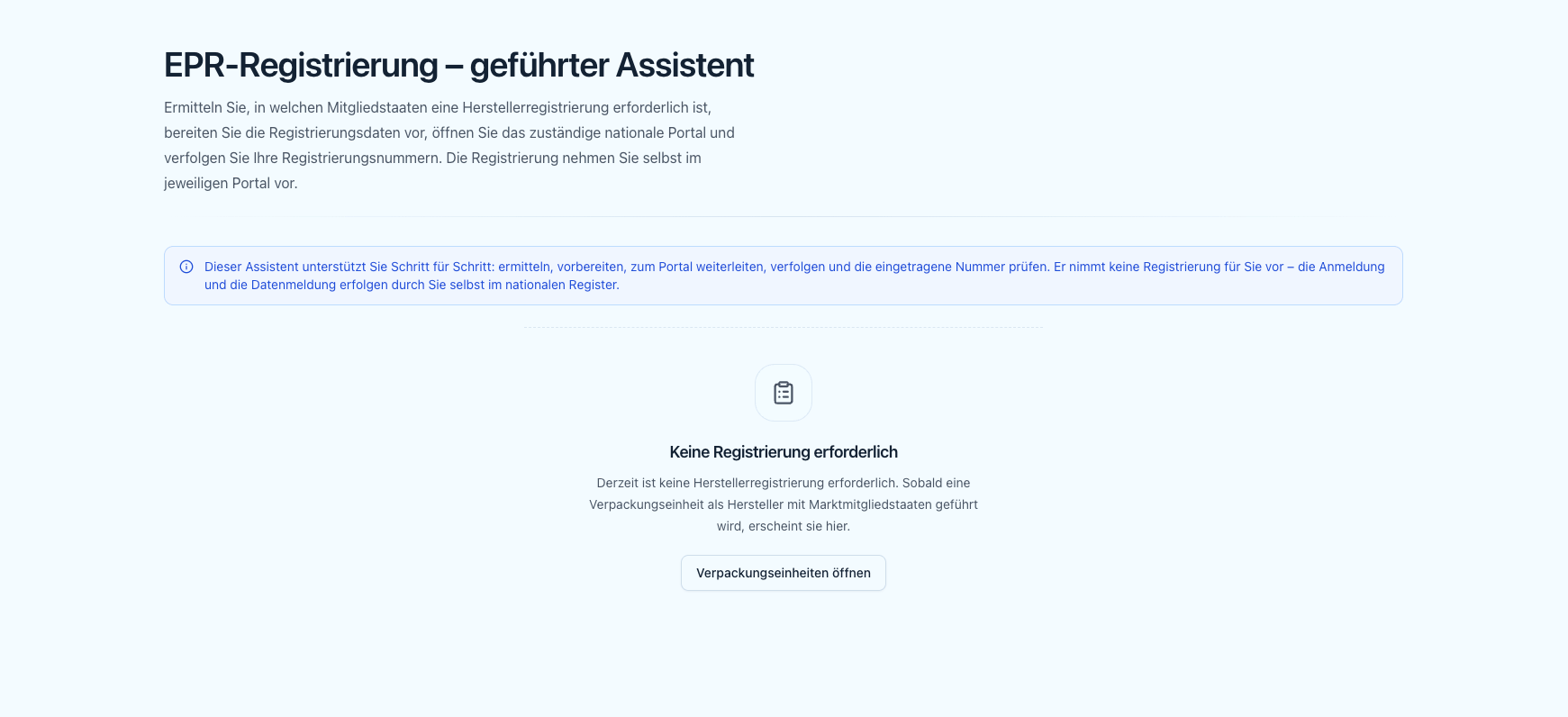
EPR registration assistant overview with the required member states
What the PPWR harmonises for EPR
EPR stays nationally organised, but the PPWR harmonises the format and the deadlines. Four points that affect your planning (Commission FAQ XVIII.1 and XVIII.3):Until the act applies and the respective member state has switched its register over, the existing national registers remain the operative route — in Germany that means LUCID/ZSVR under the national deadlines. Do not wait for the harmonised format before registering.Official sources: the European Commission’s implementation overview and draft Ares(2026)7688068 on EUR-Lex.
Which member states are required
The assistant determines the required member states automatically from your packaging units: a unit contributes its market member states exactly when it is run as a market party (manufacturer, importer or distributor) and is flagged as a producer (isProducer). All member states determined this way are merged and listed — with DACH (DE, then AT) first.
A member state for which you have already recorded a registration number stays in the list, even if a unit’s role changes later. This ensures a recorded number is never lost.
If a unit has no establishment in the member state, the row notes that an EPR authorised representative (Art. 45(3)) is required. This is not the same as the conformity representative under Art. 17.
Preparing the registration
Prepare opens a dialog with the registration data and step-by-step guidance for the member state.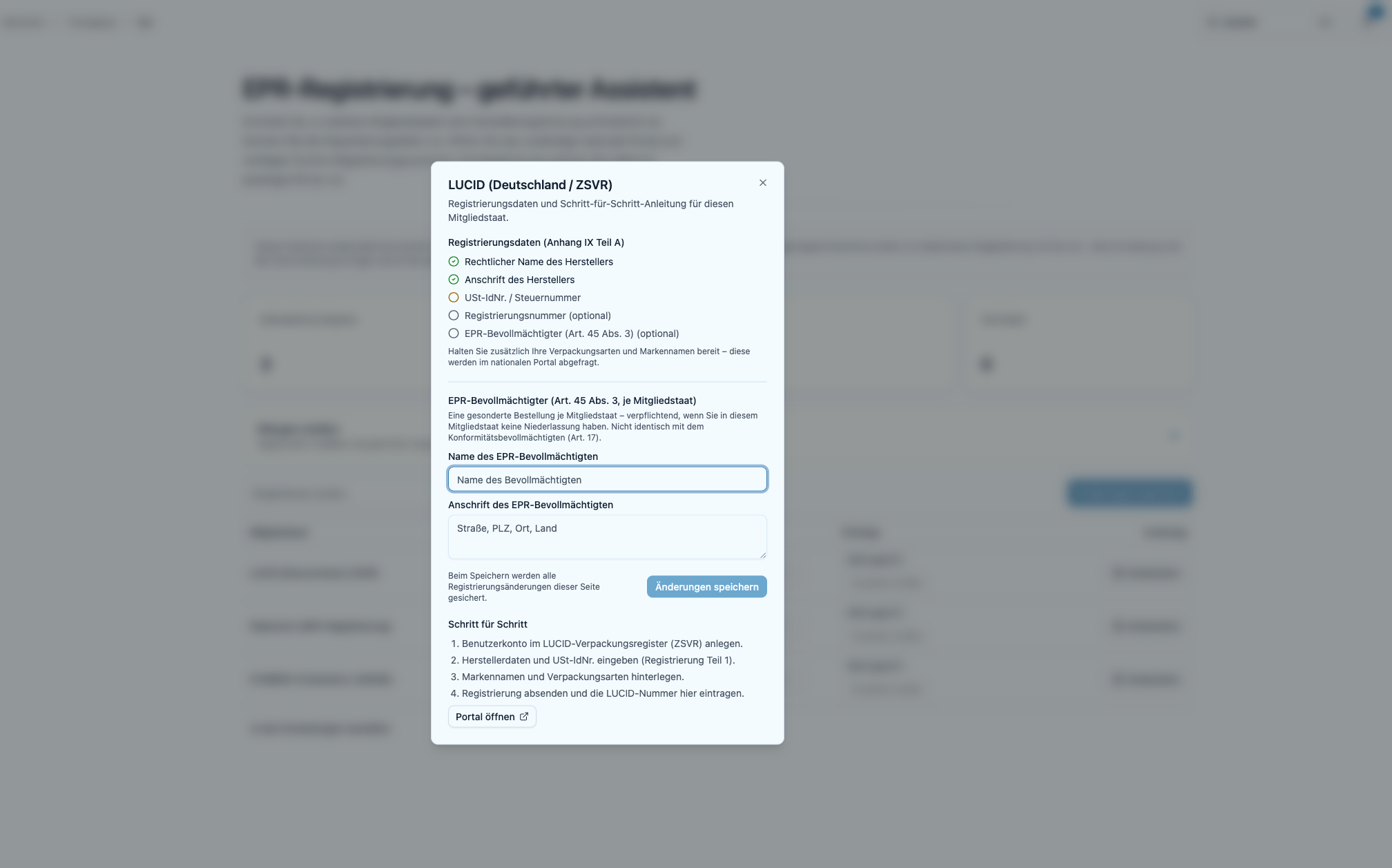
Prepare dialog with registration data and LUCID guidance
- Registration data (Annex IX Part A) — a checklist with the producer’s legal name, address, VAT / tax number and registration number, each marked present/missing. Plus a note to have your packaging types and brand names ready, since the national portal asks for these.
- EPR authorised representative (Art. 45(3)) — fields for the representative’s name and address where required.
- Step by step — the concrete steps for member states with guidance on file, followed by Open portal.
The registration data comes from Settings → PPWR: that is where you maintain the manufacturer’s legal name, the address (address search with suggestions, or free-form text), the VAT / tax number and the country of establishment (dropdown) once, centrally — the checklist here only shows present/missing. The country of establishment also determines in which member states the rows point out an EPR authorised representative (Art. 45(3)). The same address is used in the manufacturer block of the EU Declaration of Conformity (Annex VIII).
Guided instructions and portal deep links
Detailed instructions and deep links are on file for two member states: Germany — LUCID (ZSVR):1
Create an account
Create an account in the LUCID packaging register (ZSVR).
2
Enter producer data
Enter producer data and VAT ID (registration part 1).
3
Add brands and packaging types
Add brand names and packaging types.
4
Submit and record the number
Submit the registration and enter the LUCID number here.
All other member states are shown as Registration required (without detailed guidance or a deep link): please register via the relevant national producer register.
Tracking numbers and status
Enter the registration number per member state directly in the table and choose the status (Registered, Pending, Not registered or Not set). Save changes via “Save changes”.Status and number are for tracking. They influence neither the compliance assessment nor the issuance of the Declaration of Conformity.
Register check (verification badge)
For member states with a register on file, you can check a recorded, saved number against the official register via “Verify number”. The result appears as a badge:The check is a read-only lookup and purely informational — it writes nothing to the register and changes no compliance status. For a number not yet saved, the hint “Please save before verifying.” appears first.
Next step
Once registered, report the volumes you place on the market:Volume reporting
Generate the validated LUCID data report for your packaging.