

Overview
The Articles page (sidebar → Articles,/packaging/articles) shows your products — the same shared article master data the EUDR module uses. It is exactly the same table; in the PPWR context Polygon One merely replaces the EUDR compliance column with the link to packaging units and a readiness indicator.
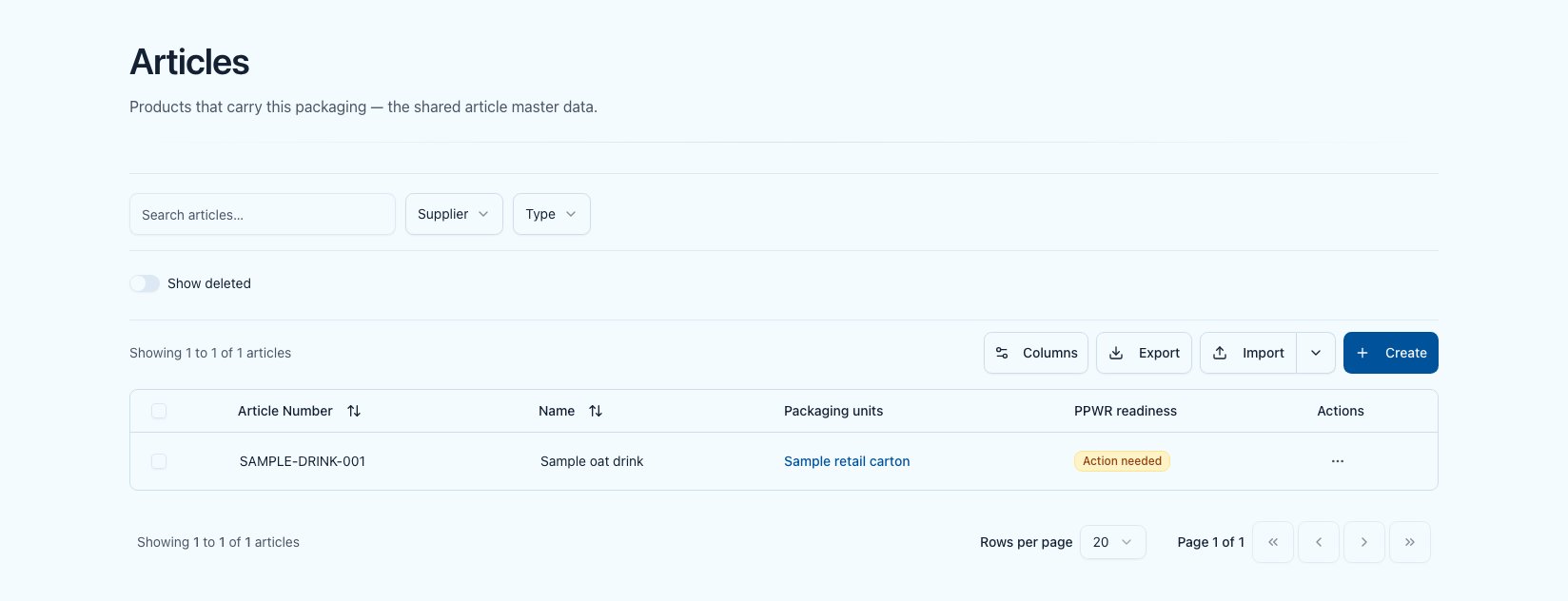
The articles list in the PPWR module with packaging units and readiness
Articles are not created twice. An article visible here is the same record used across all compliance modules.Searching for several article numbers at once: in the list’s search box, separate several numbers with commas (
1001,1002) — every article matching any of them is returned.Article type “Purchase” or “Sale” — and if you are a trader
The article type (Purchase / Sale) is part of the shared article master data and is used mainly by the EUDR module. It has no effect on PPWR obligations: Polygon One derives the obligations from the economic-operator role you set per packaging unit — not from the article type. You are a trader who buys goods to resell them? Then create the article only once, as Purchase, with the supplier you buy it from. Do not also create it as a sale article — that produces two records for the same goods, and you would request the same packaging data twice.1
Create the article as Purchase
Article type Purchase, with your supplier — in the packaging unit’s Articles tab you pick the supplier first and then their articles.
2
Create the packaging unit and set the role
Under Economic-operator role, choose the role you have for this packaging — as a trader usually Distributor, for goods from outside the EU Importer. See Economic-operator roles. Then link the article in the Articles tab (see below).
Linking articles to packaging units
The link is created on a packaging unit’s detail page in the Articles tab:1
Open the packaging unit
Open the unit that packages the article and switch to the Articles tab.
2
Choose the supplier
Pick the supplier under Supplier first. Only then does the article picker open — until it does, it reads Select a supplier first.
3
Select the articles
Under Articles from this supplier, choose one, several or all articles. Only articles not yet linked to this unit are offered; if there are none, the field reports No more articles from this supplier are available.
4
Choose the size (only with several sizes)
If the unit carries several sizes, an extra Size field appears: pick the size the link is for, or Whole unit.
5
Link
The button names the count — “Link 3 articles”. The mapping appears in the list immediately.
Articles that are already linked are not linked twice; the result says how many that applied to. For an existing link the size is not changed either — unlink it and link it again instead.
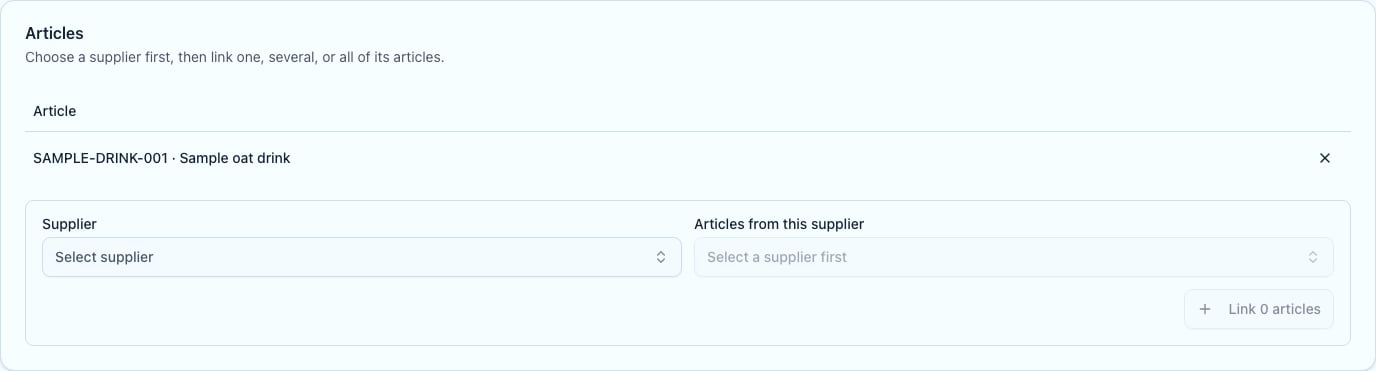
Linking an article on a packaging unit's detail page
There is no free-text SKU entry. The article’s internal article number is the SKU — you only link existing articles.
What the link is used for
-
Per-article readiness — an article’s readiness is not a standalone verdict but the rollup of the obligation statuses of the linked packaging unit(s). The rule: Action needed dominates — an article never reads “On track” while a linked unit has an outstanding, in-force obligation. If no unit is linked, a dash is shown.
- Volumes — the article ⇄ packaging unit mapping is the basis for attributing packaging volumes to a product (relevant, among other things, for the later volume report).
Continue to import
Create units, components and links via CSV/Excel.