

Video (5:25): upload, draw or type your plots, and fix what is refused. The written steps on this page are authoritative.
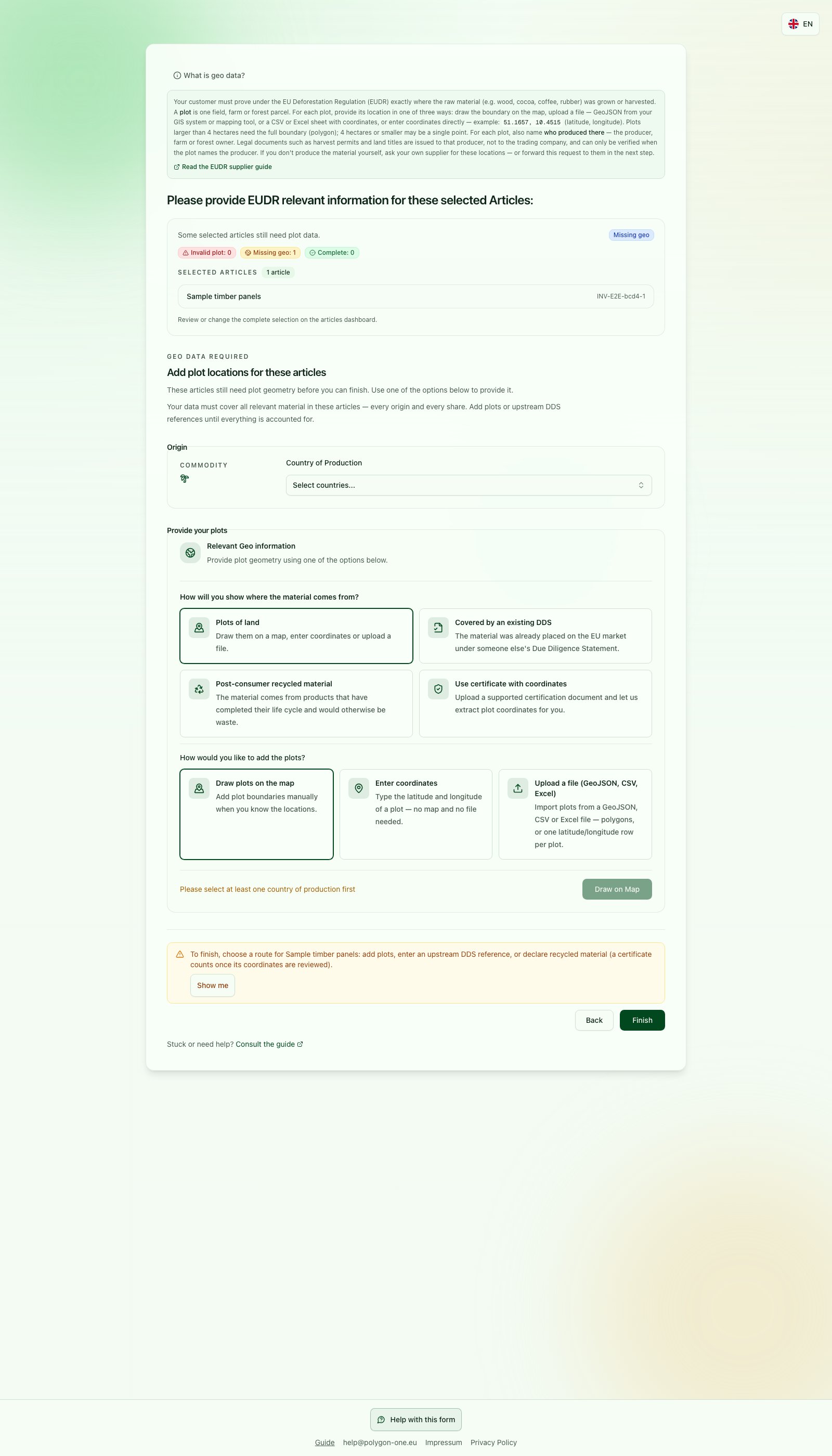
This EUDR example shows origin-route selection only, not a geodata import or its review. Choose the actual production country and the route supported by your facts; DDS and recycling apply only when their conditions are met.
- Open the article and select the commodity producer and actual country of production. Multiple production countries are possible.
- Choose the route matching your data: file (GeoJSON, KML, CSV, Excel), draw on the map, enter decimal coordinates, or extract coordinates from a document.
- Review the preview: location, article assignment, producer, area, period and wood species where applicable.
- Complete required fields and confirm the import. Check the result and any rows not imported.
My material is recycled
My material is recycled
Choose the recycled-material option only for the post-consumer material it describes. Select the affected products, enter the supported quantity for each, and provide the requested declaration. Read the warning about pre-consumer by-products; do not classify them as post-consumer waste to bypass origin requirements. Review and confirm the declaration, then check what was saved. Your customer reviews whether the stated basis applies; uncovered material still needs the appropriate origin information.
Remove a country of production
If you selected a country of production by mistake, open Change country in the questionnaire and remove the country in the country picker with the × next to its name. The change is saved only when you click Continue to questionnaire; after that the country stays removed, also after a reload. A country that one of your plots lies in cannot be removed: the picker then shows which plot lies there. Delete that plot first, or correct its location in the geodata step, and then remove the country again. Answers you already gave for the country are kept and come back if you select the country again.Related help
- Answer the questions
- Upload and review documents
- Did it save?
- EUDR: Provide an existing DDS
- EUDR: Ask an upstream supplier
- EUDR: Add wood species and production periods
- I have a Google Earth file (KML/KMZ)
- I have a GIS file or Shapefile
- I have an Excel or CSV list
- I have a permit on paper or as a PDF
- I have coordinates in degrees, minutes and seconds
- I have a Google Maps pin
- I only have one point per plot
- My upstream supplier has a DDS, not plot data
- My coordinates were rejected
- Return to the EUDR steps
- Open your customer’s request
- Get help with your request