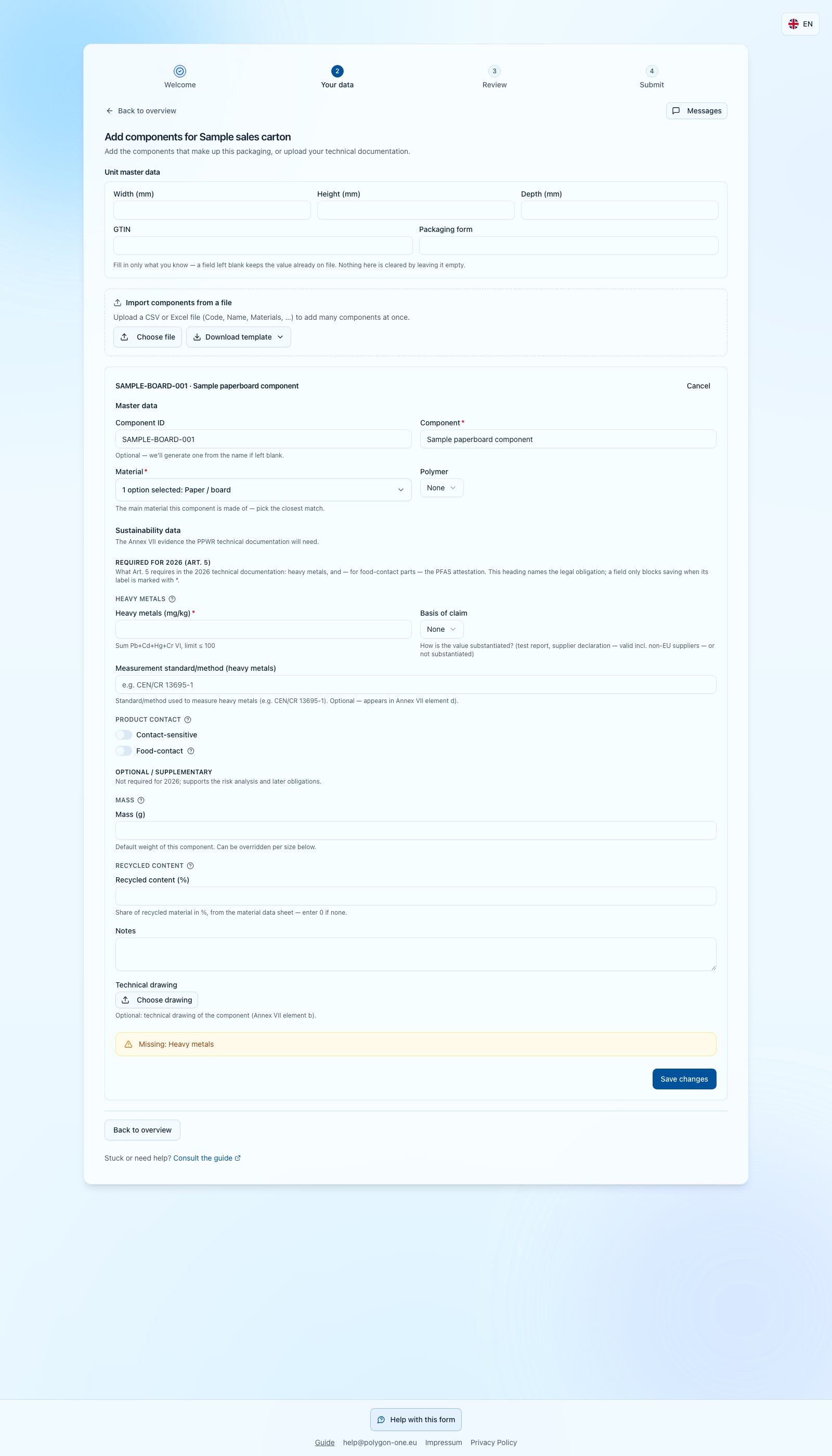
A packaging unit consists of components such as a box, film and closure. Answer for the requested items.
PPWR component editor with separate unit data and a missing heavy-metals warning

PPWR example: Unit data and component data are separate. The missing heavy-metals warning remains visible. Enter only supported values with the correct unit; unknown does not mean zero. The response has not been sent.

  1. Open an item and choose data entry or add a component.
  2. Enter its name and materials. Add known mass in grams and recycled content as a percentage. A value above zero needs a source and method.
  3. Add requested substance data, such as heavy metals in mg/kg and PFAS for food contact. Entered measurements or assessments need an evidence basis and measurement method.
  4. Review documents and the summary. Confirm the accuracy of the information and complete the security check if requested before sending your response.
A test report can be attached directly. A document alone does not replace component data. Unknown values are not zero. If your upstream supplier has missing information, you can delegate relevant items before your first submission. Select the items, enter their name and email, then choose delivery. Your customer can see the upstream supplier. Delegated items leave your list; the upstream supplier replies directly to your customer. If a new sub-supplier link appears, send that link only to the intended supplier. If you selected email delivery, check whether it succeeded; a delegated status alone does not confirm delivery. Never forward your original invitation. Follow missing-field messages to the component. For correction requests, edit the highlighted information and resubmit; there is no need to start again.