

Overview
In the Articles area, you manage all of your company’s products and raw materials. Articles are the central data foundation for the EUDR analysis and the subsequent DDS creation. Every article has an article type: either purchase (incoming goods) or sale (outgoing goods).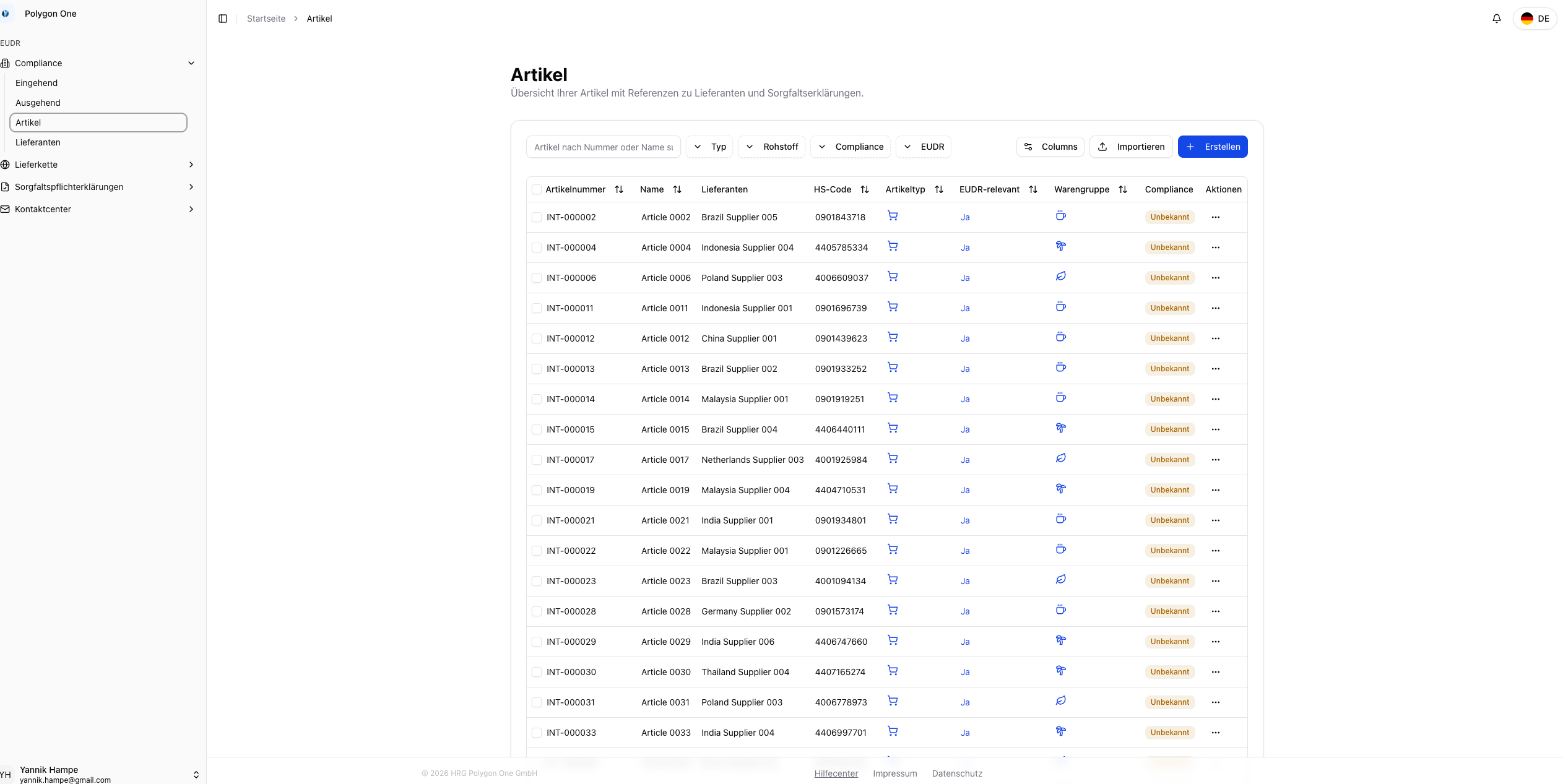
Importing Articles (CSV)
The column mapping can be pre-configured under Settings → CSV Imports.CSV Fields
| Field | Required | Description |
|---|---|---|
| Name | Yes | Article name |
| Article Number | Yes | Internal article number |
| HS Code | Yes | Customs tariff number — required for the automatic EUDR relevance check |
| Supplier | Yes | Supplier name (alternatively: External Supplier ID) |
| Article Type | No | purchase or sale |
| Description | No | Short description |
| External Article Number | No | External reference number |
| EAN | No | European Article Number |
| Supplier Email | No | Email of the associated supplier |
| Supplier Country | No | Country of the supplier |
| Supplier Address | No | Address of the supplier |
| External Supplier ID | No | External identifier (alternative to the supplier name) |
Performing the Import
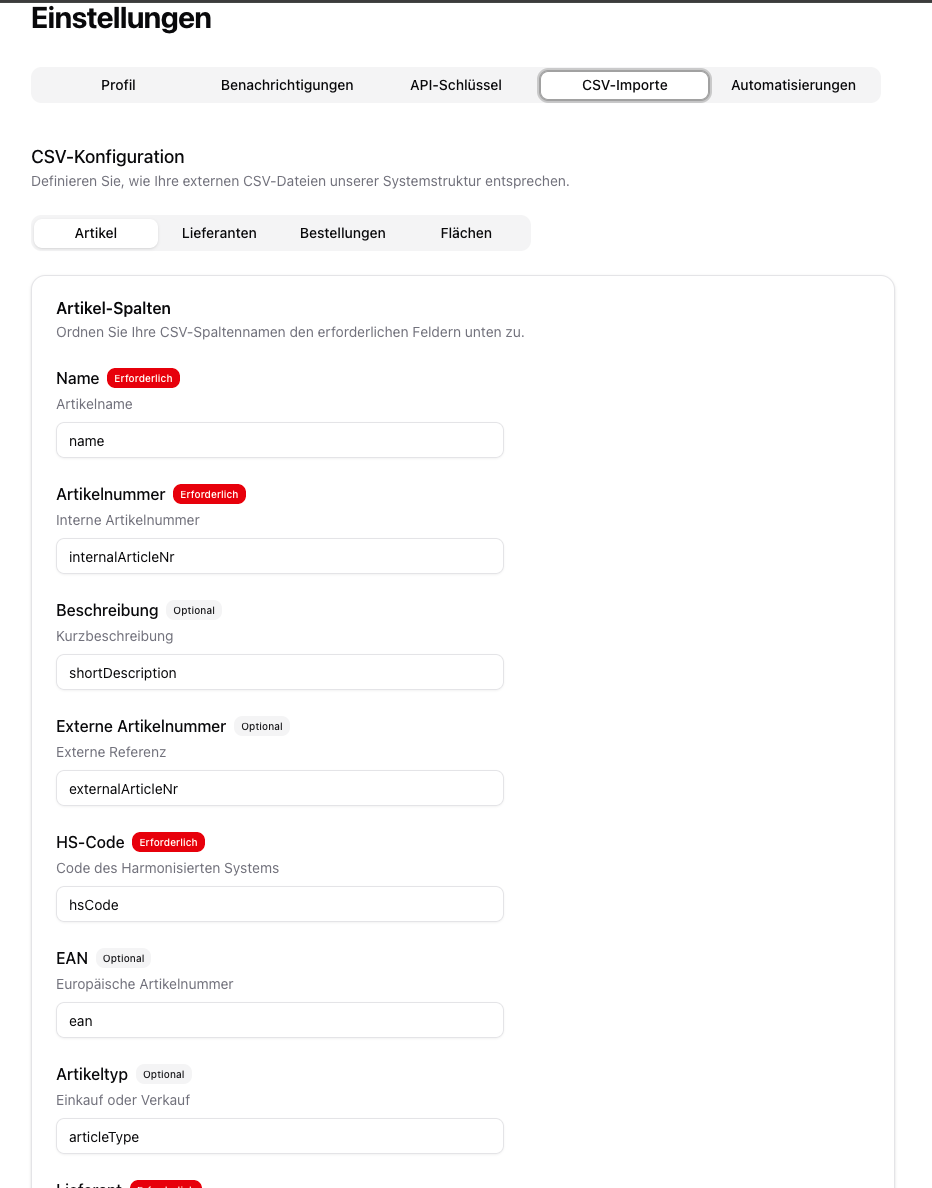
Suppliers can be created automatically during the article import if they do not yet exist. The system recognizes suppliers based on their name or external ID.
Creating Articles Manually
Enter the data
Fill in the following fields: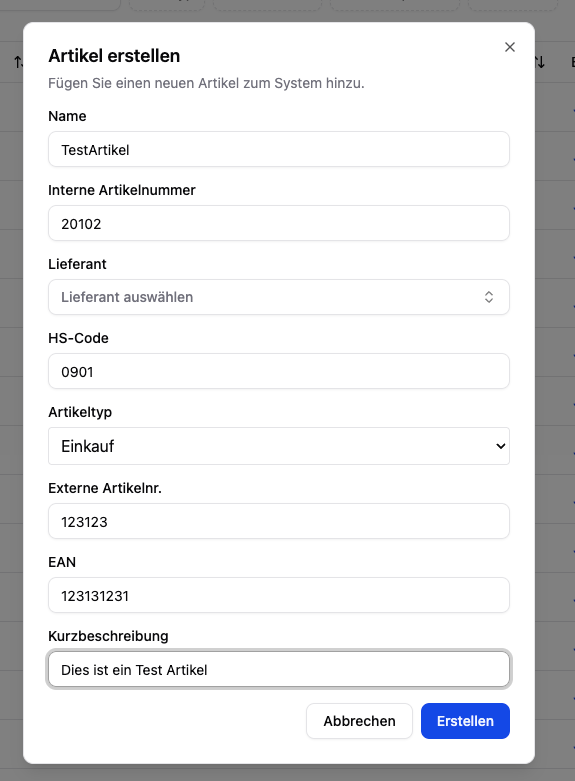
- Name (required)
- Internal article number (required)
- HS code (required)
- Article type — purchase or sale
- Supplier (required for purchase articles) — select from existing suppliers
- Weight per piece (kg) (optional) — lets orders use piece counts instead of kilograms
- External article number, EAN, short description (optional)
Plausibility and Duplicate Checks
When you create an article manually, Polygon One checks your input and points out possible issues. There are two kinds of notices:Soft Warnings (non-blocking)
These warnings appear after you submit the form. You can still create the article via “Create anyway” — or correct the input and submit again.| Warning | Trigger |
|---|---|
| Duplicate: name | An active article with this name already exists (its article number is shown in the notice). |
| Duplicate: GTIN/EAN | An active article already uses this GTIN/EAN. |
| HS code mismatch | According to the automatic plausibility check, the HS code may not match the article’s name and description. |
The HS code plausibility check compares the entered HS code against the name and description. It only runs when creating a single article manually — not during CSV import — and never blocks creation.
Hard Block (blocking)
| Check | Behavior |
|---|---|
| Duplicate internal article number | If an article with the same internal article number already exists, a field error appears: “An article with this internal number already exists.” The internal article number must be unique — there is no “Create anyway” option here. |

HS Code and EUDR Relevance
After the import, Polygon One automatically analyzes the HS codes of your articles and flags which products fall under the EUDR. Products containing the following raw materials are marked as EUDR-relevant:
- Cattle
- Cocoa
- Coffee
- Oil palm
- Rubber
- Soy
- Wood
