

Overview
The DDS → Outbound page manages Due Diligence Statements for outbound goods. This primarily concerns domestic production within the EU as well as sales orders that are covered through traceability, BOM linking, and existing evidence. The page displays two sections:- Orders without a DDS reference — Sales orders that are not yet assigned to a DDS
- Domestic production Due Diligence Statements — Overview of the DDS created for your own production
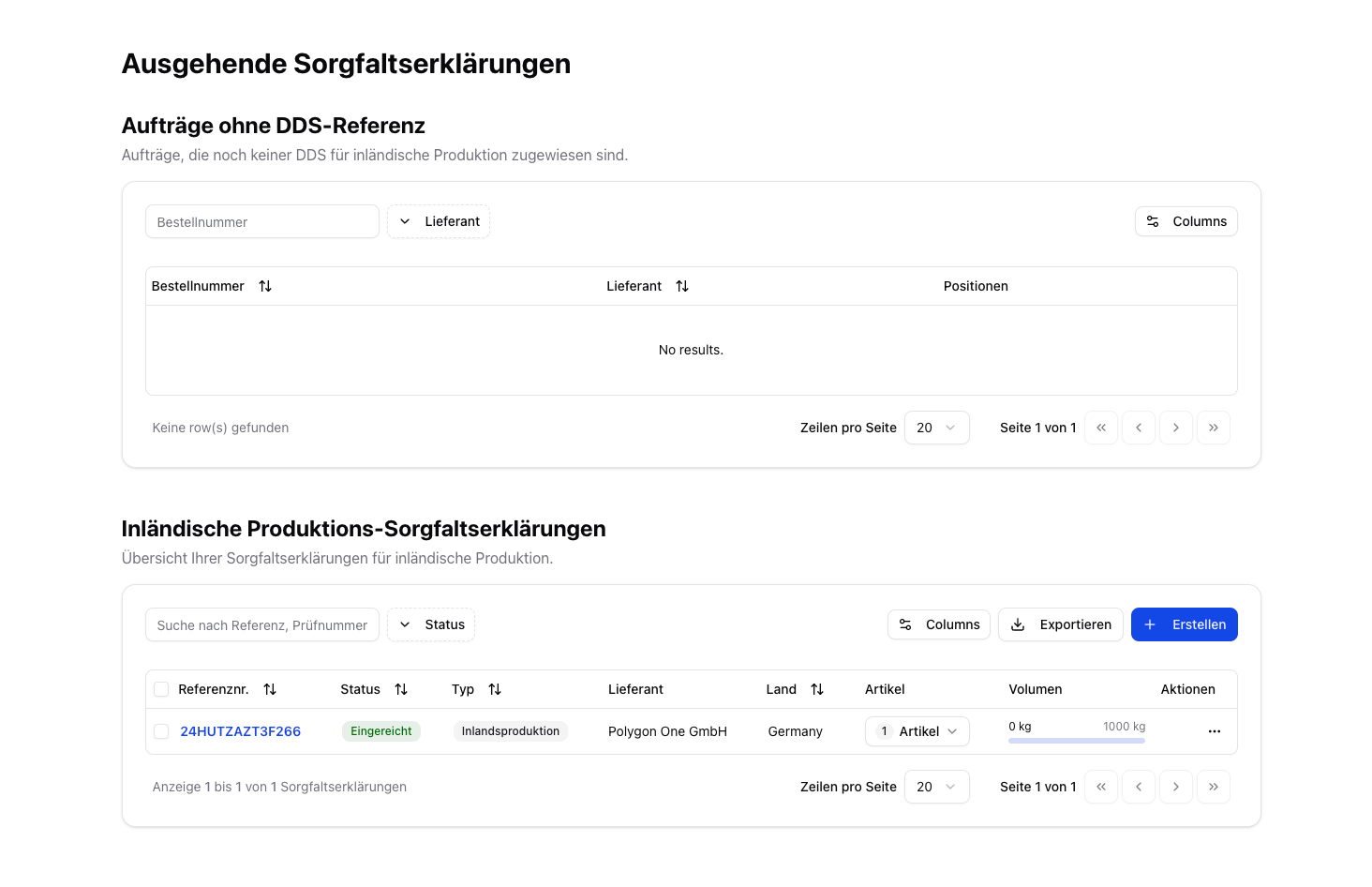
DDS for Domestic Production
With domestic production, you are the producer yourself. Sales orders automatically use your own company as the supplier in this case.
Create a DDS
Create a DDS
Create a new DDS by clicking Create. The activity type is then automatically set to Domestic Production.
Assigning a DDS to Orders
- Navigate to the orders without a DDS reference.
- Click “Assign DDS” and select the matching DDS.
- The system shows only DDS with matching articles and sufficient remaining volume.
Related Features on the Outbound Dashboard
The EU production information (“I produce this”) and the linking of input articles (bill of materials / BOM) are not located on this DDS page, but on the separate Outbound dashboard (menu item Outbound under Compliance):- I produce this — store the production country and production area (draw on the map or upload GeoJSON) and create a DDS for domestic production directly.
- Link Inputs — link purchase articles as the input of a sales article; linked DDS (including external DDS) are automatically taken into account for outbound traceability.
For the full guide to these features, see Outbound Articles & Traceability.