

Overview
After you import your articles, Polygon One automatically performs an EUDR relevance analysis. The system uses the HS codes to determine which of your articles fall under the EU Deforestation Regulation. In the Cockpit, this step appears as the Check EUDR Relevance phase.Automatic Analysis
The analysis runs automatically in the background as soon as articles with an HS code are created in the platform. You do not need to trigger anything manually.Classification of Articles
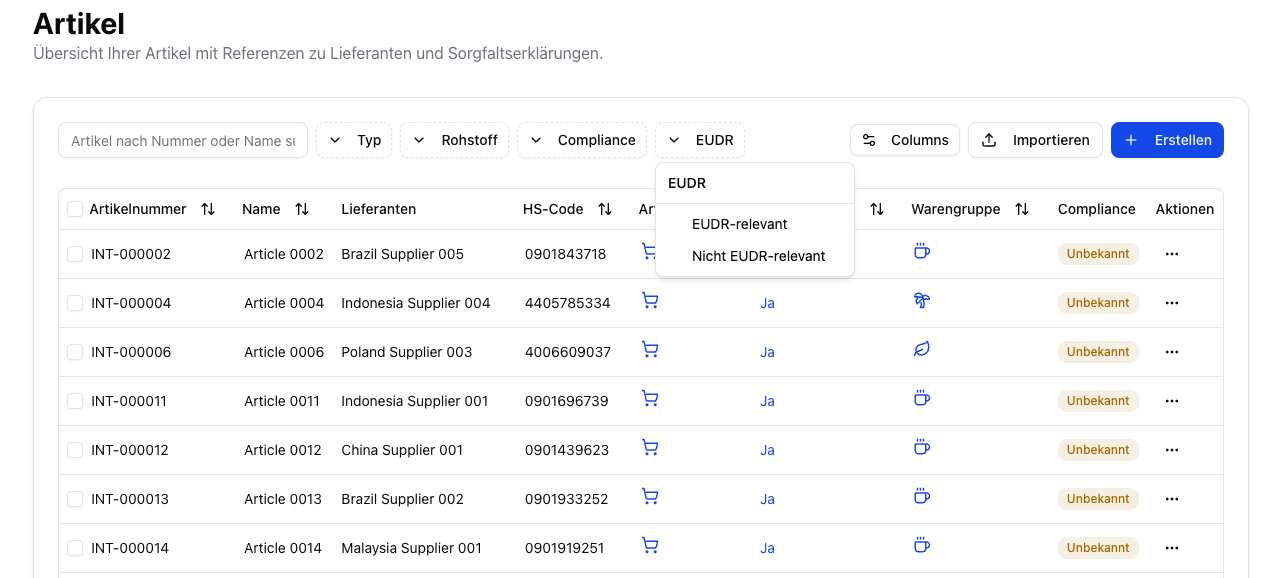
After the analysis, your articles are labeled:| Label | Description |
|---|---|
| EUDR-relevant | The article contains commodities that fall under the EUDR. Evidence must be collected and a DDS created for this article. |
| Not EUDR-relevant | The article does not fall under the EUDR. No further action is required. |
EUDR-Relevant Commodities (Commodity Groups)
The EUDR applies to products that contain or are made from the following commodities:Cattle
Cocoa
Coffee
Oil palm
Rubber
Soy
Wood
Next Steps
Once your EUDR-relevant articles have been identified, continue with Data Collection:Upload Evidence
Upload documents and geo data for relevant articles.
Supplier Onboarding
Invite suppliers to provide their evidence through the supplier portal.