

Overview
In the Suppliers area under the Compliance section, you manage all of your company’s suppliers. Suppliers must be created before you can link articles to them or import orders.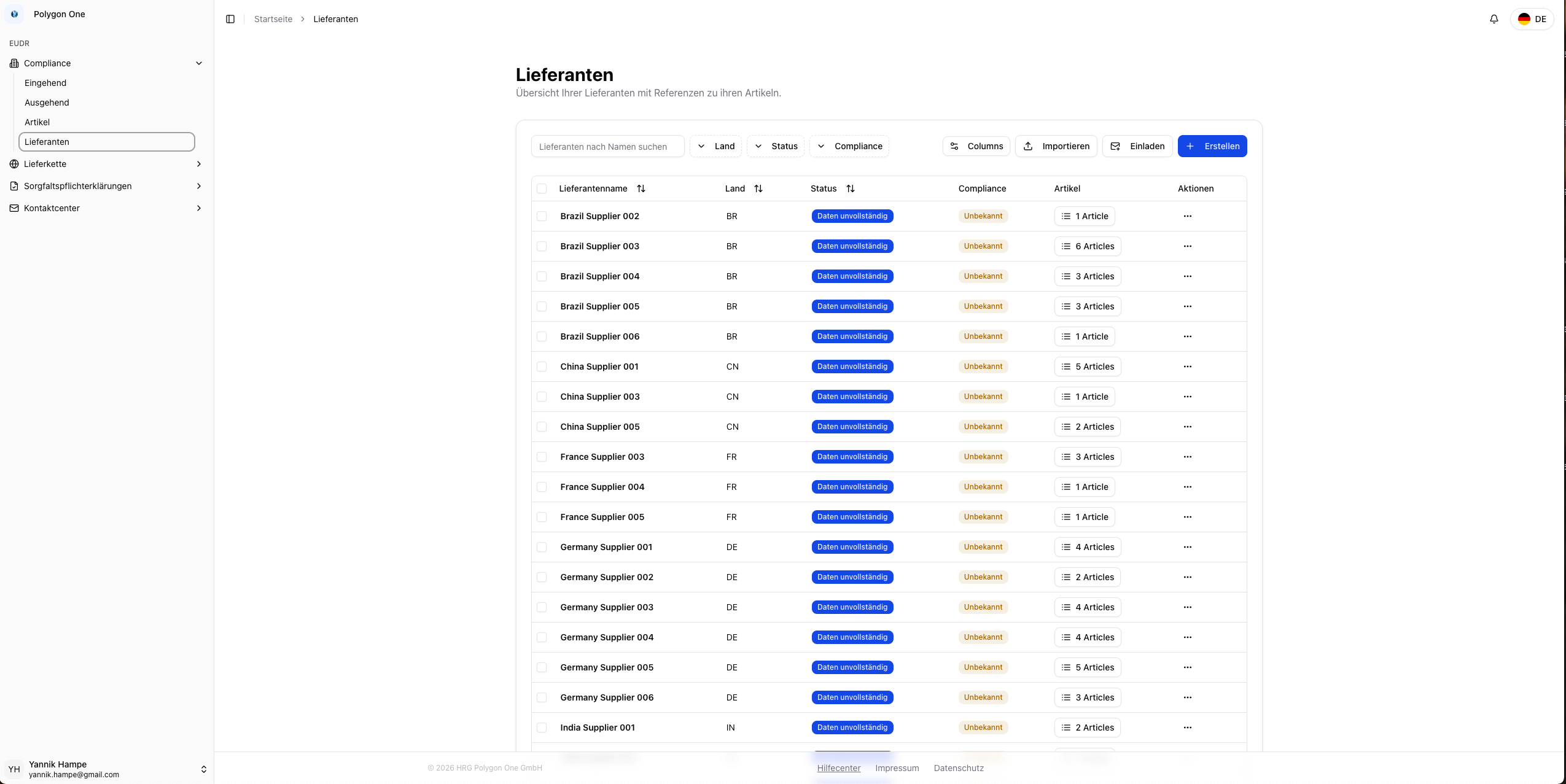
Importing Suppliers (CSV)
The fastest way to create many suppliers at once is the CSV import. The column mapping can be pre-configured under Settings → CSV Imports, allowing you to keep your own CSV structure.CSV Fields
| Field | Required | Description |
|---|---|---|
| Name | Yes | Company name of the supplier |
| Yes | Contact email of the supplier | |
| Contact Person | No | Name of the contact person |
| Country | No | Country of origin |
| Address | No | Address of the supplier |
| External ID | No | External supplier identifier (e.g. ERP number) |
Performing the Import
Map the columns
Before you trigger the import, map the columns of your CSV file to the corresponding fields in Polygon One under Settings → CSV Imports.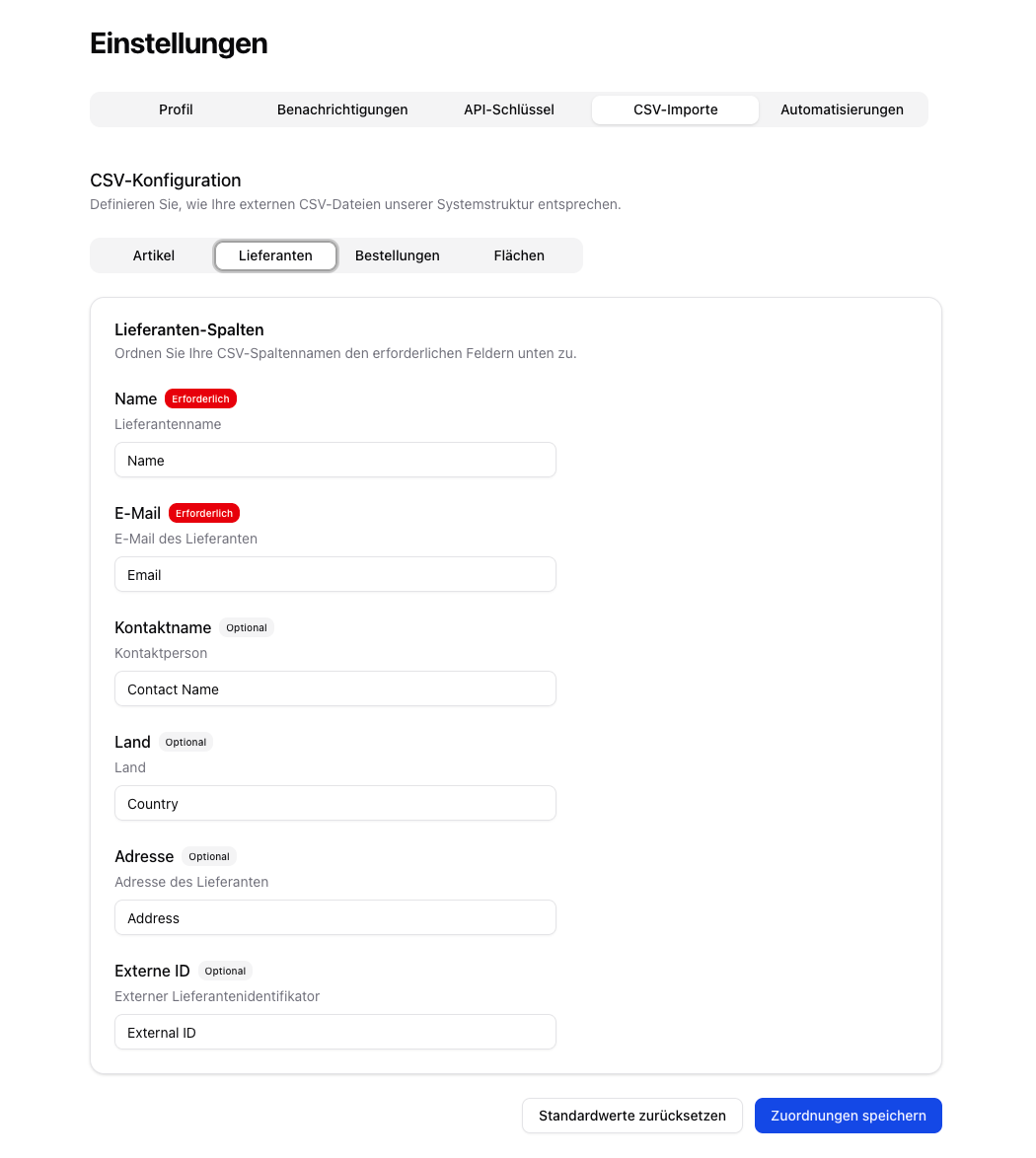
Creating Suppliers Manually
Enter the data
Fill in the following fields: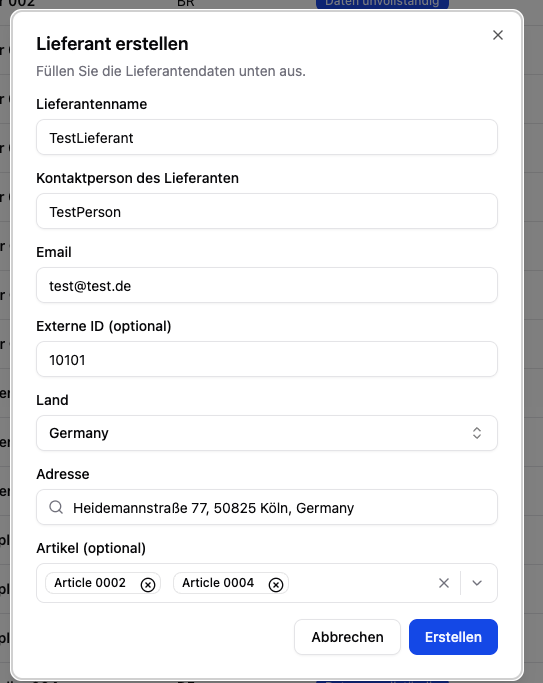
- Supplier name (required)
- Email (required)
- Contact person (optional)
- Country (required)
- External ID (optional) — e.g. your internal ERP supplier number
- Articles (optional) — assign articles directly
Editing Suppliers
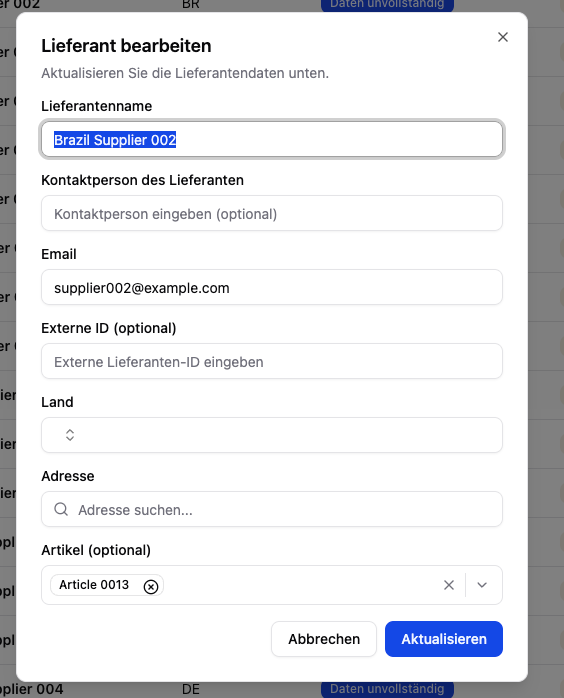
Existing suppliers can be edited at any time from the table:- In the supplier list, click the Actions menu (⋯) for the supplier you want.
- Select Edit.
- Adjust the fields and save.
Inviting Suppliers
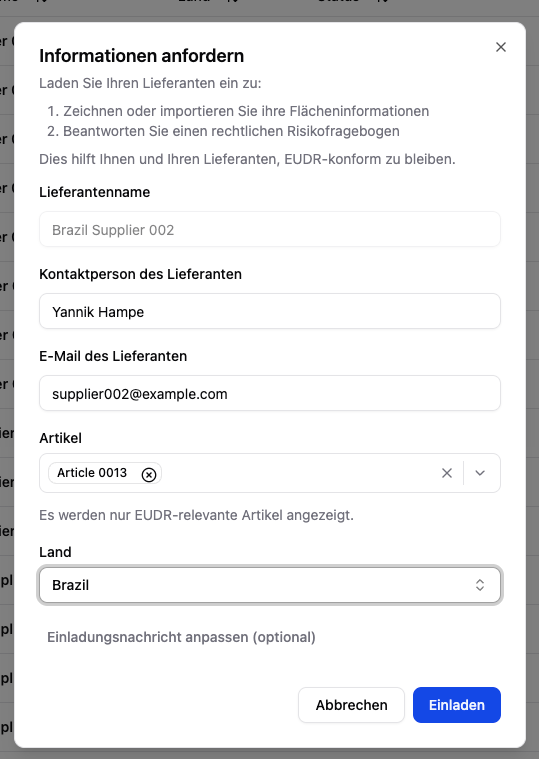
You can invite suppliers to provide data directly from the supplier list:- Click Request information for the supplier you want.
- Select the EUDR-relevant articles for which data is needed.
- Optional: Customize the invitation message.
- The supplier receives an email with access to the supplier portal.
Using the Invite all suppliers function in the inbound or data collection workflow, you can also send bulk invitations. All suppliers with an email address are invited at the same time.