

Overview
The Outbound dashboard shows all your sales articles and their compliance status. Here, you can link inbound articles (input) to outbound articles (output) as needed, in order to cleanly represent traceability for downstream operators.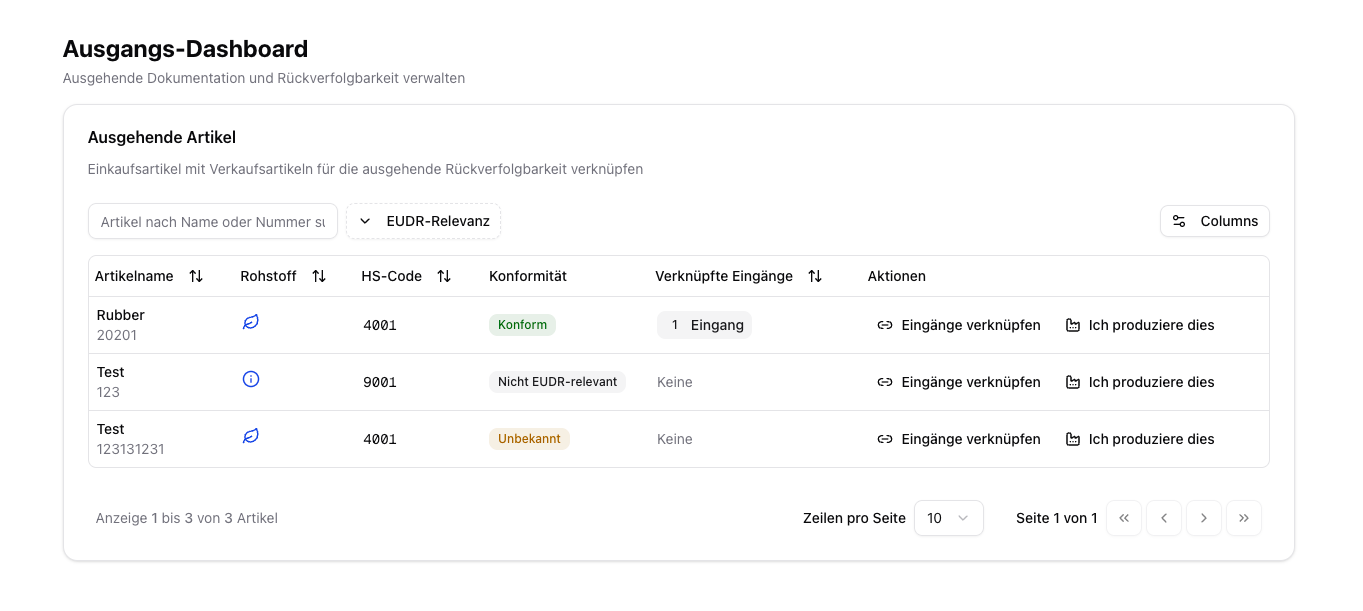
Linking input and output articles is especially important if you process or resell goods and want to transfer existing evidence to your sales articles. In addition, you can store EU production information for domestic production here.
When Is This Linking Useful?
Examples:- Cocoa beans (purchase article) → chocolate (sales article)
- Several raw materials are combined into a finished product
- An article is repackaged and sold under a new article number
Link Input Articles (BOM Linking)
Select a sales article
In the Outbound dashboard, navigate to the sales article you want to assign input articles to.
Link input articles
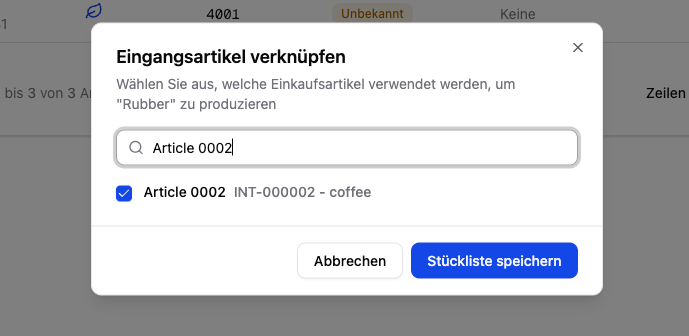
Click “Link Inputs”. A dialog opens in which you can select from your purchase articles.
Select purchase articles
Search by name or article number and select the articles used as input for this sales article.
EU Production (Domestic Production)
If you produce goods in the EU yourself, you can store the EU production information directly in the Outbound dashboard: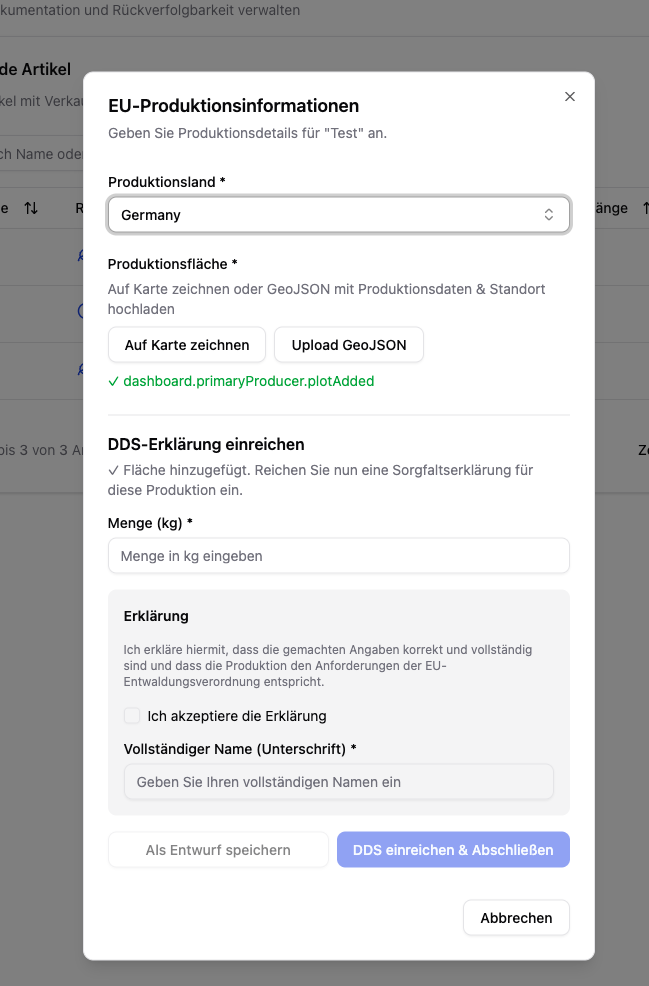
The compliance evidence of the input articles must be complete before linking to sales articles makes sense.
External DDS from suppliers can also be transferred automatically to sold articles through this linking.