

Video Guide
Overview
Via the invitation link, your suppliers open the EUDR data request form in Polygon One. There they provide the requested EUDR compliance evidence for the requested articles — without their own user account.Access is via a secure link from the invitation, without separate registration. The supplier can reopen the link while it remains valid to provide missing data or update their information.
Step-by-Step Guide
1. Access and Welcome
The supplier clicks the link in the email and sees the onboarding message with a personal welcome message.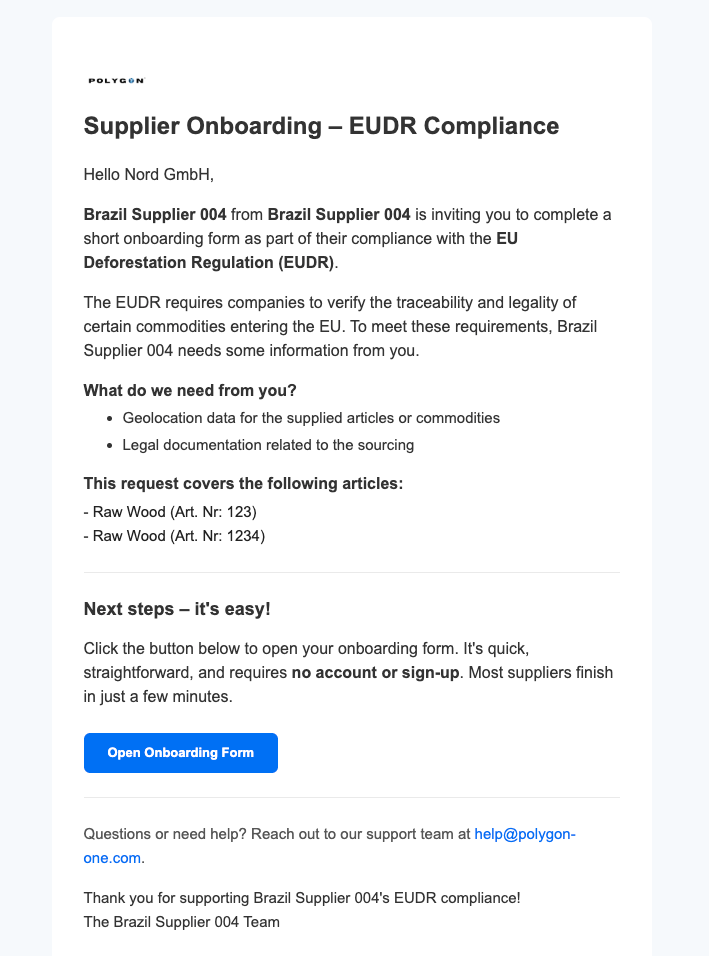
2. General Information
After the supplier opens the link, they see the form for the EUDR data request.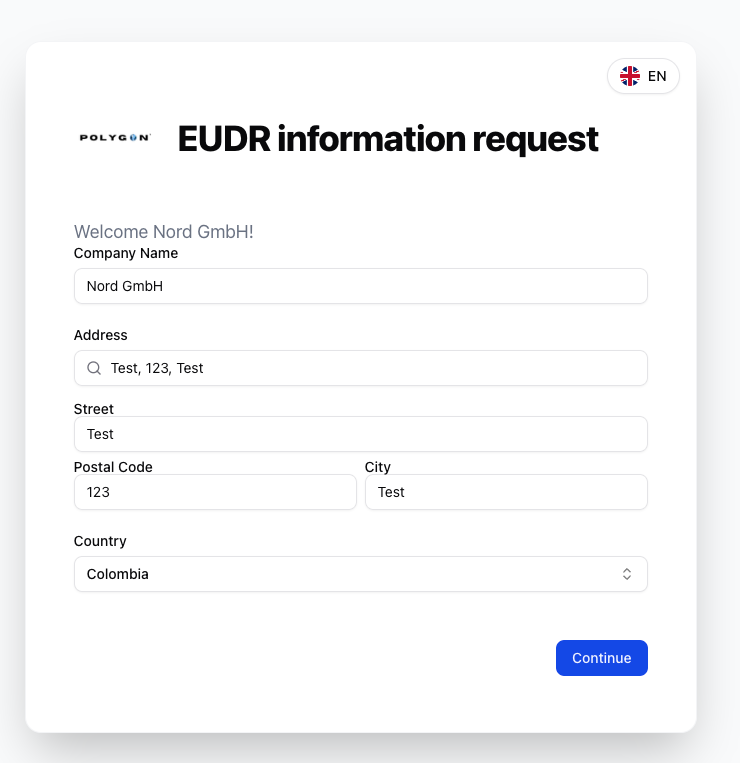
The supplier can change the language of the form at any time. Polygon One currently supports Spanish, French, English, and German.
3. Provide Geo Information
Geo data must be provided for each requested article:Specify the commodity producer
Enter the name of the commodity producer and the country of production.
Provide geo data
Production areas are specified using the interactive map: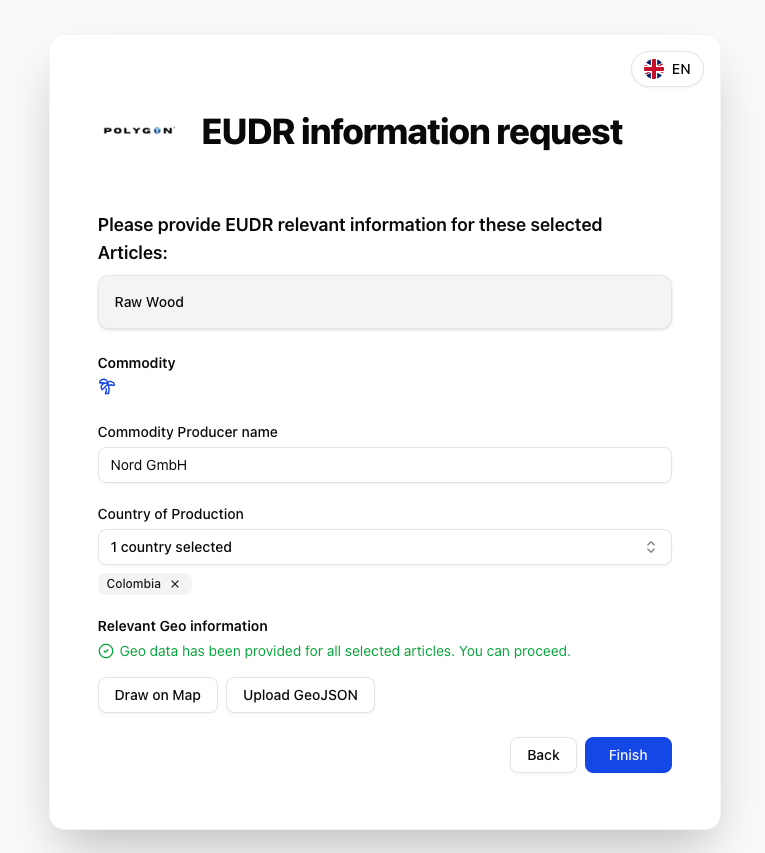
- Draw on map — mark the corner points of the production area
- Upload GeoJSON — upload existing geo data as a file
4. Invite Sub-Suppliers (Optional)
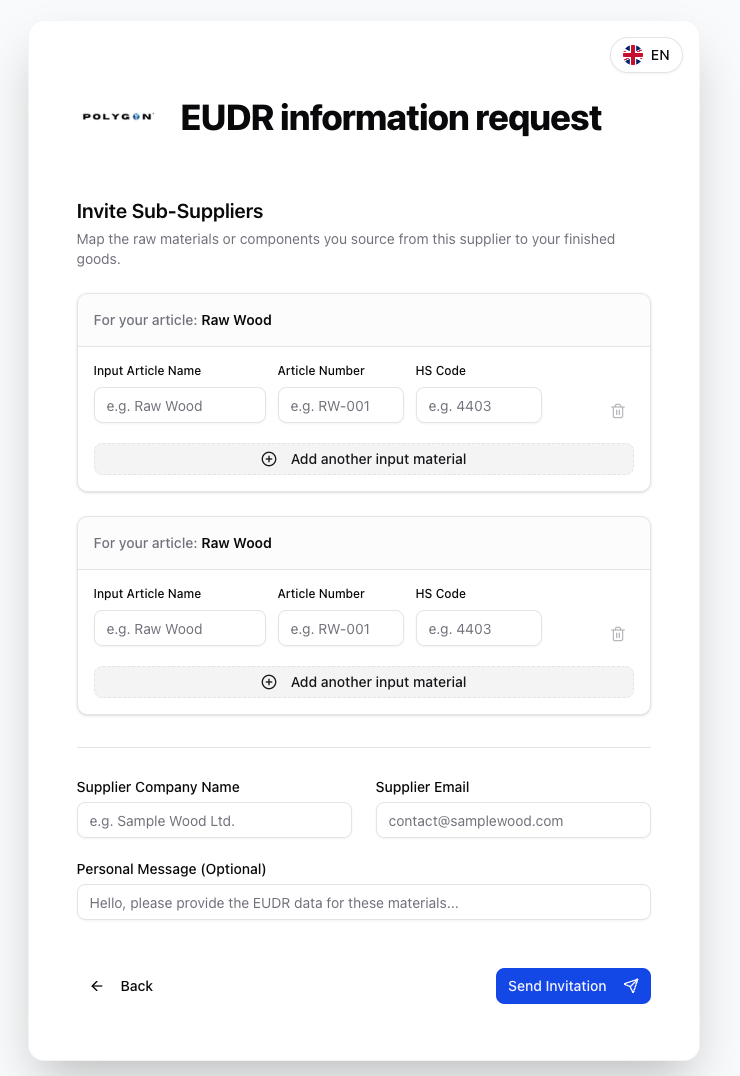
If the supplier sources materials from additional sub-suppliers, they can invite them in the portal:- describe the inbound article (name, article number, HS code)
- enter the supplier details of the sub-supplier (company, email)
- optionally add a personal message
- the invitation is sent to the sub-supplier by email
5. Legal Compliance Questionnaire
FLEGT check (for wood products from VPA countries)
If applicable, a valid FLEGT license can be uploaded. If a valid license is present, the detailed questionnaire is skipped.
Sustainability certification (optional)
The supplier can upload a certification (FSC, PEFC, ISCC, etc.). The AI automatically analyzes which compliance categories are covered.
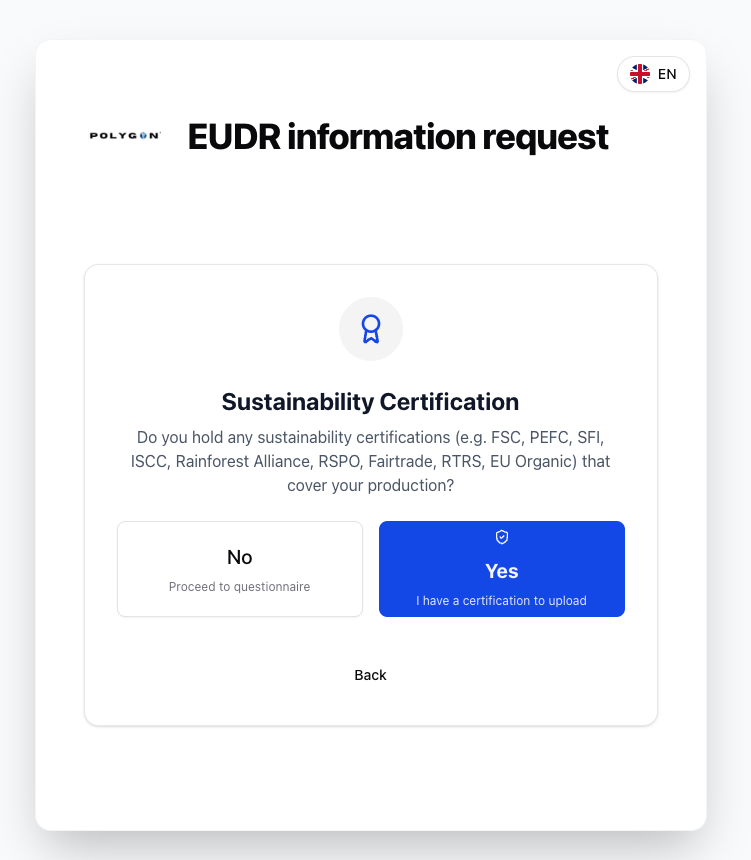
Answer the questionnaire
A country-specific questionnaire is completed — divided into categories: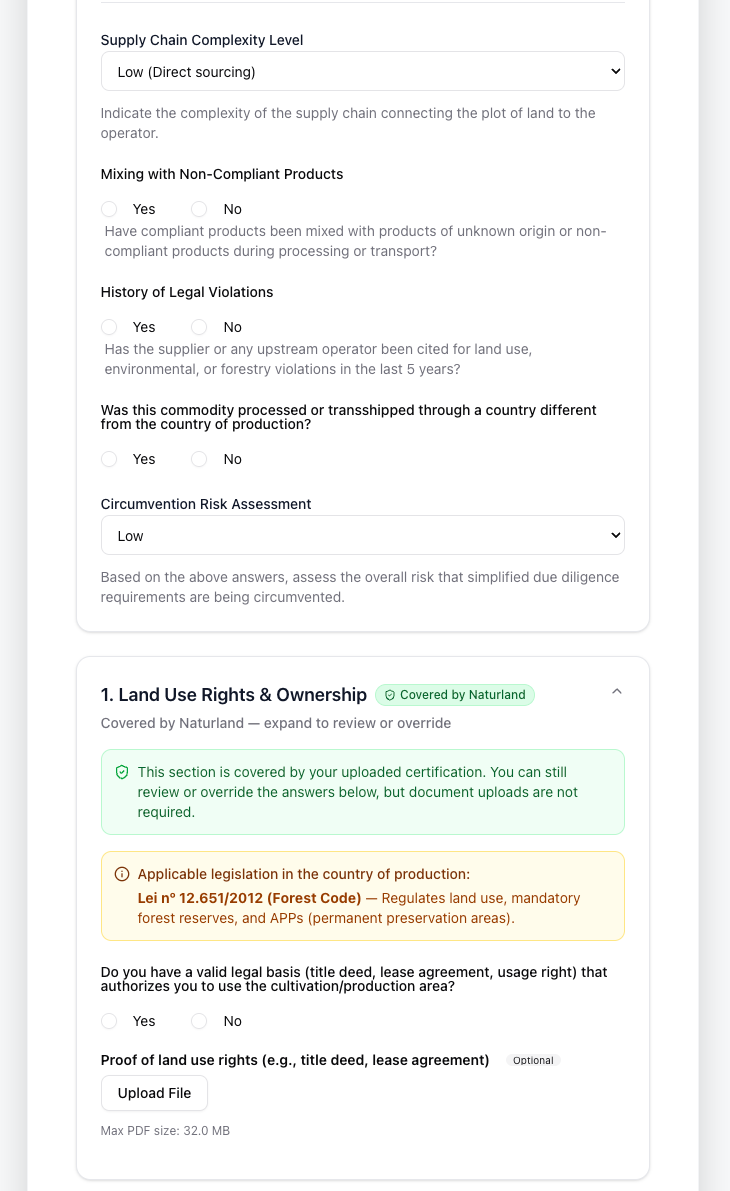
- General questions
- Supply chain & risk assessment
- Land use rights & ownership
- Environmental & conservation laws
- Forest law (for wood products)
- Rights of third parties & indigenous communities
- Labor & human rights
- Tax, trade & customs regulations
- Anti-corruption measures
- Further compliance measures
- satellite imagery evaluation of the geo data for deforestation risks
- AI document validation of the uploaded evidence
- compliance calculation based on the questionnaire and evidence
The supplier can reopen the link for a valid period to view the status of their submissions, provide missing data, or update information.