

Overview
Export your orders, linked to your DDS, for customs clearance, internal documentation, or sharing with authorities.Export Orders
Filter orders
Use the filter function: by type (purchase/sale), supplier, EUDR relevance, DDS reference, or commodity.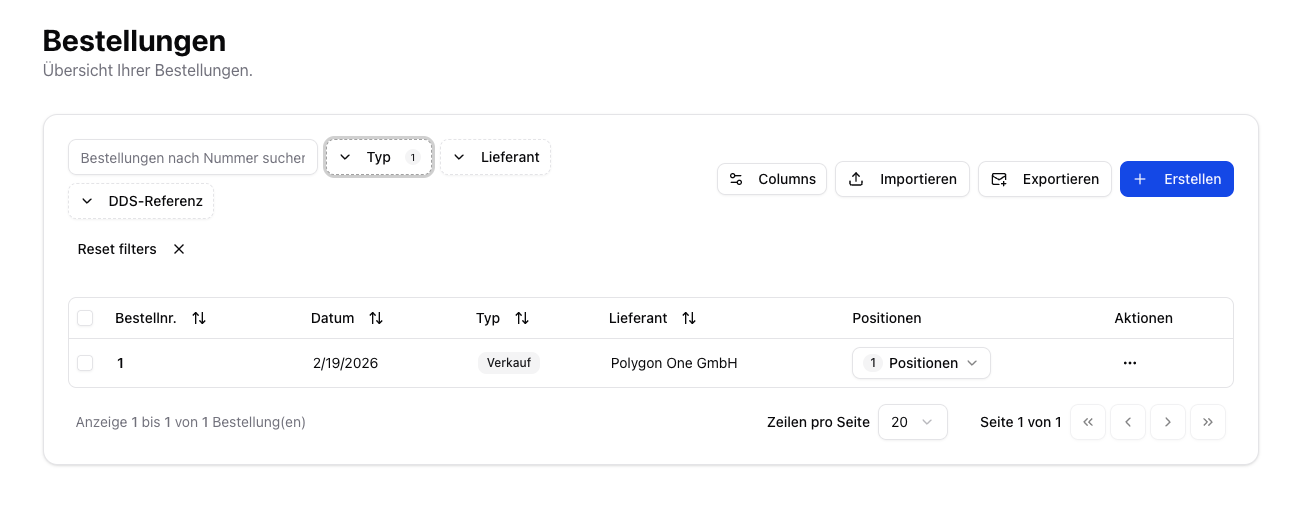
Export DDS Statements
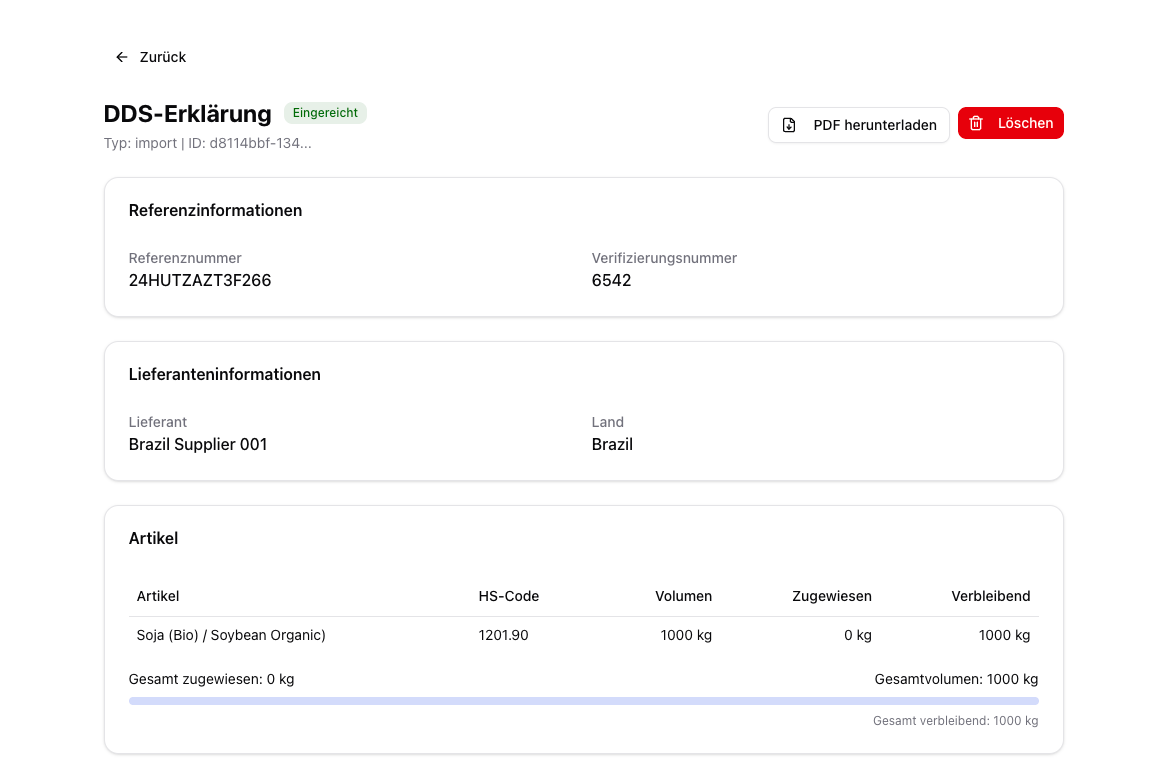
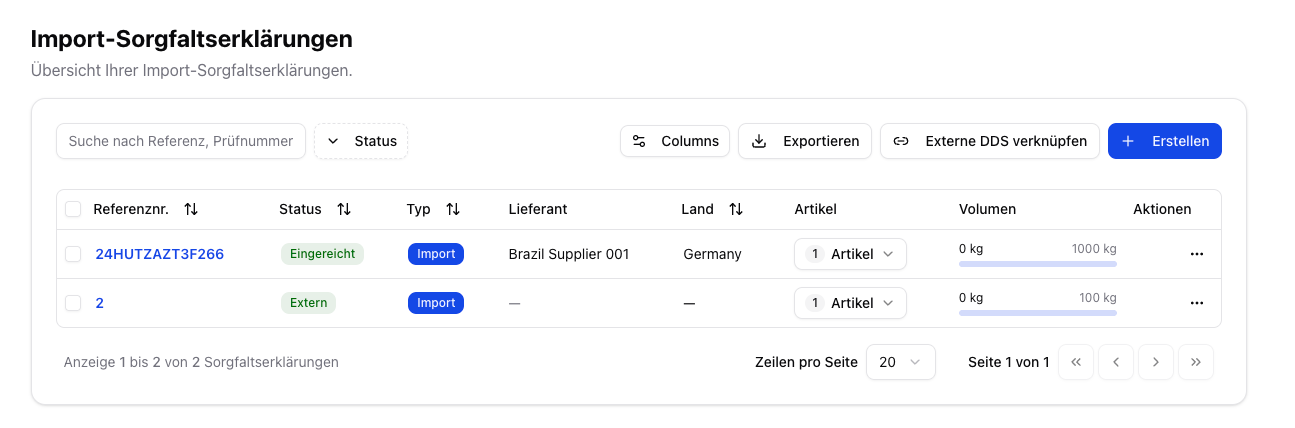
From the DDS detail view, you can export individual or all Due Diligence Statements:Open the DDS detail view
In the DDS overview, click “View details” on the desired DDS, or click the DDS reference number highlighted in blue.
Exported Data
The exported CSV file contains one row per DDS with the following columns:DDS Master Data
| Column | Description | Example |
|---|---|---|
| DDS ID | System-internal unique ID (UUID) | d8114bbf-134c-4609-96be-b545b6882f36 |
| Reference number | Official DDS reference number from EU TRACES | 24HUTZAZT3F266 |
| Verification number | Verification number for customs clearance | 6542 |
| Status | Current DDS status (e.g. submitted, validated, draft, external) | submitted |
| Type | Activity type (import, export, trade, domestic_production) | import |
| Country | Country of the operator | Germany |
| Submitted on | Date of submission to TRACES (ISO format) | 2026-02-19 |
Supplier & Article
| Column | Description | Example |
|---|---|---|
| Supplier | Name of the assigned supplier | Brazil Supplier 001 |
| Supplier country | Country of origin of the supplier | Brazil |
| Article | Article name/designation | Soja (Bio) / Soybean Organic |
| HS code | Harmonized customs tariff code | 1201.90 |
Volume
| Column | Description | Example |
|---|---|---|
| Volume (kg) | Total volume of the DDS in kilograms | 1000 |
| Assigned volume (kg) | Volume already assigned through orders | 0 |
| Remaining volume (kg) | Volume still available for further orders | 1000 |
Area Data & Geolocation
| Column | Description | Example |
|---|---|---|
| Plot name | Name of the production area | PLT-BR-001-A |
| Plot country | Country of the production area | Brazil |
| Latitude | GPS latitude (decimal degrees) | -4.934206 |
| Longitude | GPS longitude (decimal degrees) | -58.897204 |
| Plot size (ha) | Size of the area in hectares | 412.76 |
| Plot GeoJSON | Complete geometry of the area in GeoJSON format | {"type":"Feature","geometry":{...}} |
For DDS with the status
external (created outside Polygon One), fields such as country, submitted on, supplier country, and plot data may be empty — only the reference number and verification number are captured.From the DDS detail view, you can submit a DDS in draft status to TRACES directly. The “Verify status in TRACES” feature is currently in preparation and not yet available.
For customs clearance, both the DDS reference number and the verification number are required. Both are included in the export file and the PDF version.