

Overview
If you do not have the required evidence on hand yourself, you can invite your suppliers directly through Polygon One. Suppliers receive secure access to a supplier portal workspace without having to create their own account.The Invitation Process
Identify the supplier
In the compliance dashboard, identify the supplier or the articles for which data is missing.
Send the invitation
Click “Request information” or “Invite supplier”. Select the EUDR-relevant articles for which data is needed. Optionally, you can add a personal message.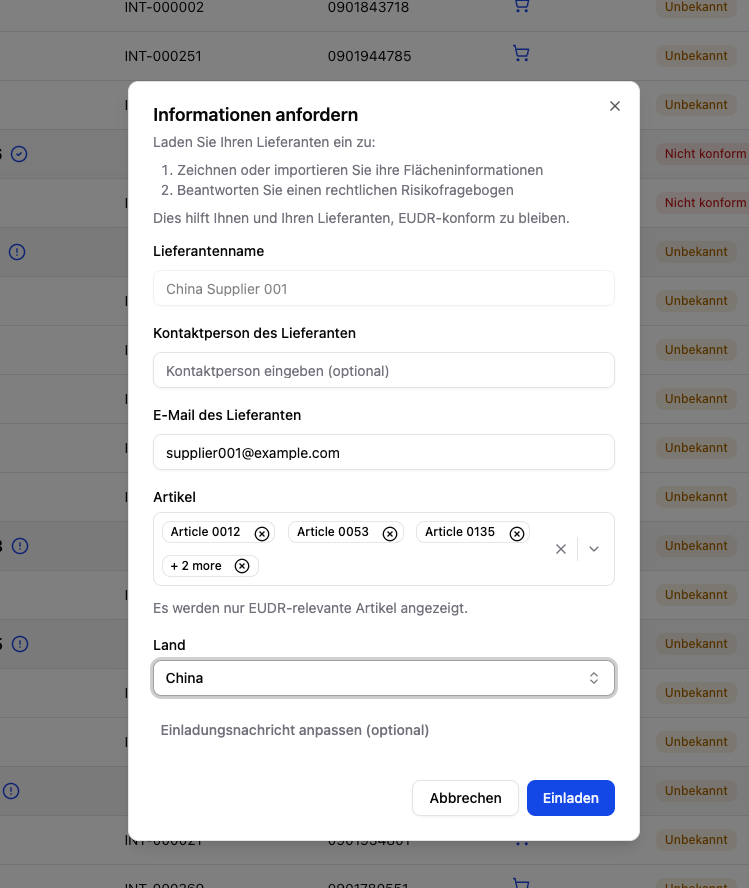
The supplier receives an email
The supplier receives an email with a secure link to the supplier portal. No separate account is required.
Data provision
The supplier provides geodata, documents, and legal information through the workspace and can return later to supply any missing content.
Bulk Invitation
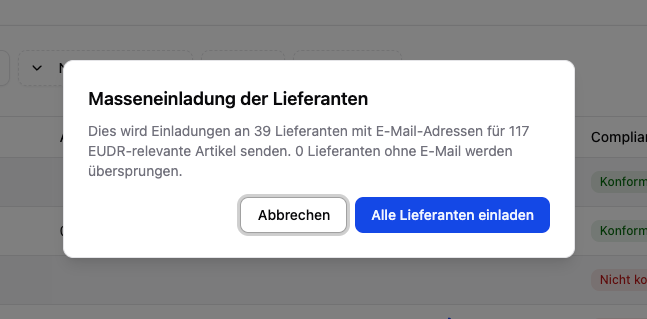
Using the “Invite all suppliers” function, you can invite all suppliers with an email address at the same time. Suppliers without an email are automatically skipped.
What Suppliers Provide in the Portal
In the supplier portal, your suppliers go through the following steps:1. General information
1. General information
Company name and the supplier’s country or address.
2. Geodata (production locations)
2. Geodata (production locations)
Production locations are specified for each article:
- Select the production country
- Specify the name of the raw material producer
- Draw the areas on the interactive map or upload them as a file
- Details for the drawn production sites (production period, scientific name of the raw material, etc.)
3. Sub-suppliers (optional)
3. Sub-suppliers (optional)
If the supplier sources materials from additional sub-suppliers, they can invite them in the portal. Incoming articles are recorded with an HS code and article number.
Incoming articles are automatically linked to the article you imported, so that the supply chain remains traceable upstream.
4. Legal compliance
4. Legal compliance
A comprehensive questionnaire covering:
- Land use rights & ownership
- Environmental & nature conservation laws
- Forestry law & timber use (for wood products)
- Rights of third parties & indigenous communities
- Labor & human rights
- Tax, trade & customs regulations
- Anti-corruption measures
What the Supplier Completes
Via the invitation link, the supplier opens the EUDR data request form — without their own user account. The form is divided into several sections:- General information: company name, address, and country
- Geo data: draw the production areas for each requested article on the map or upload them as GeoJSON
- Sub-suppliers (optional): invite additional sub-suppliers by email
- Legal questionnaire: answer country-specific compliance questions and upload evidence documents
Plot Import & Review Workflow
The supplier upload uses the same technical review workflow as your own plot import, but with stricter supplier rules.
FLEGT License Shortcut
Sustainability Certifications
Suppliers can also upload sustainability certifications (e.g. FSC, PEFC, ISCC, Rainforest Alliance, RSPO, Fairtrade). The system automatically analyzes which compliance categories are covered as a result.Detailed Help on the Supplier View
Supplier View
Step-by-step guide from the supplier’s perspective when completing the EUDR data request.