

Overview
The DDS → Outbound page manages Due Diligence Statements for outbound goods. This primarily concerns domestic production within the EU as well as sales orders that are covered through traceability, BOM linking, and existing evidence. The page displays two sections:- Orders without a DDS reference — Sales orders that are not yet assigned to a DDS
- Domestic production Due Diligence Statements — Overview of the DDS created for your own production
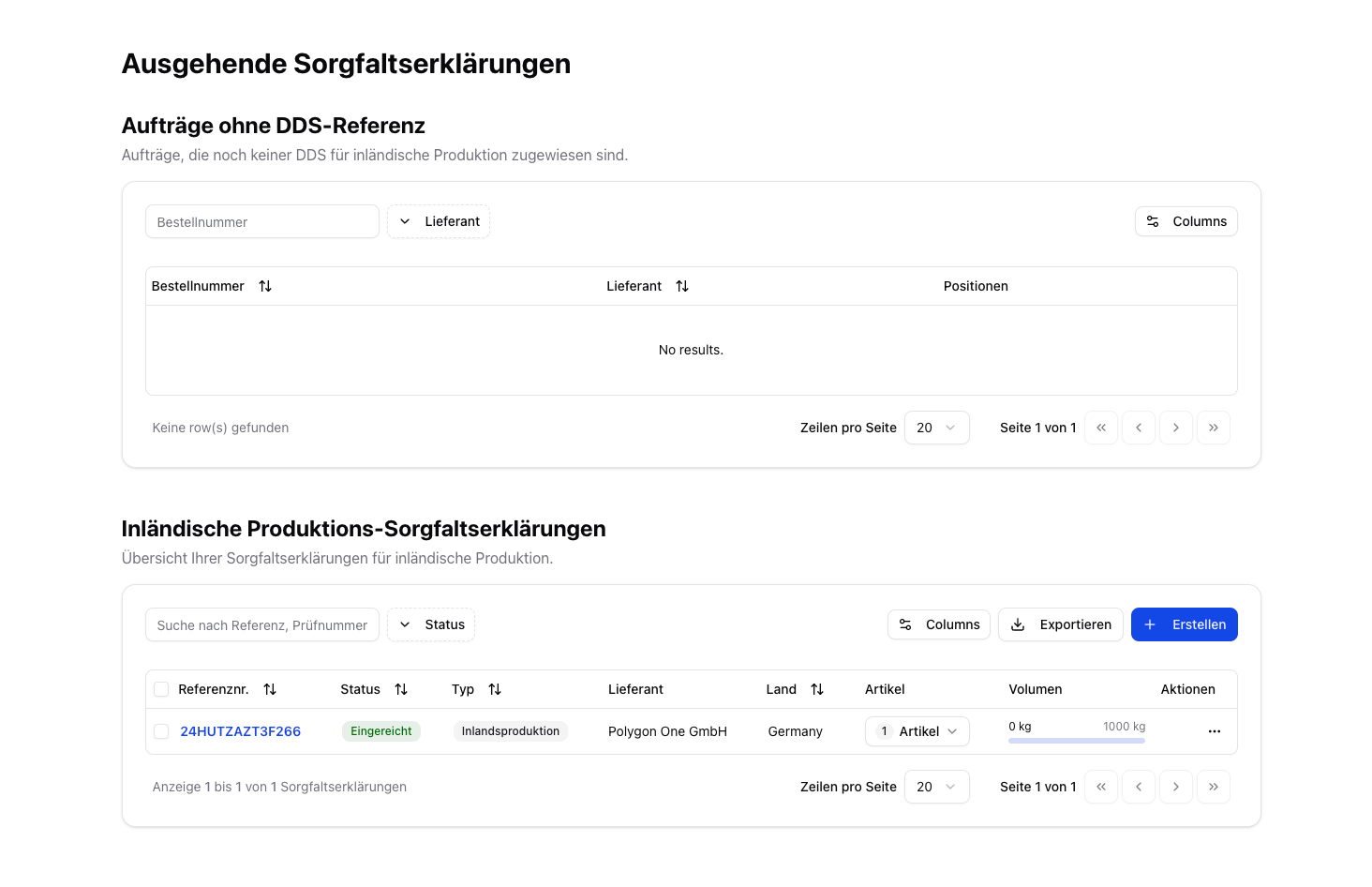
Outbound DDS — overview
The page header carries the same TRACES marker as the incoming page — TRACES: OK, TRACES: check failed or TRACES: not checked recently, each with the time of the last check. What the three states mean is explained under Incoming DDS.The automatic split into a group head exists only for incoming statements — see Group Head.
DDS for Domestic Production
With domestic production, you are the producer yourself. Sales orders automatically use your own company as the supplier in this case.
Create a DDS
1
Create a DDS
Create a new DDS by clicking Create. The activity type is then automatically set to Domestic Production.
2
Specify articles & quantities
Select your sales articles and enter the produced quantities in kg.
3
Confirmation & submission
Confirm the due diligence, sign with your full name, and submit the DDS.
Assigning a DDS to Orders
- Navigate to the orders without a DDS reference.
- Click “Assign DDS” and select the matching DDS.
- The system shows only DDS with matching articles and sufficient remaining volume.
Related Features on the Outbound Dashboard
The EU production information (“I produce this”) and the linking of input articles (bill of materials / BOM) are not located on this DDS page, but on the separate Outbound dashboard (menu item Outbound under Compliance):- I produce this — store the production country and production area (draw on the map or upload GeoJSON) and create a DDS for domestic production directly.
- Link Inputs — link purchase articles as the input of a sales article; linked DDS (including external DDS) are automatically taken into account for outbound traceability.
Your own articles can be covered by an upstream reference too. If an article of your EU production carries no plots of its own but a linked external DDS reference, it counts as covered and can be submitted. Those references are sent along as grouped declarations exactly as on the inbound side — and the same warning appears when one of them has not been confirmed usable at TRACES.
For the full guide to these features, see Outbound Articles & Traceability.