

Overview
The Messages page is the central place for communicating with your suppliers within Polygon One. Here you can see all conversations in one place and send new messages directly from the platform.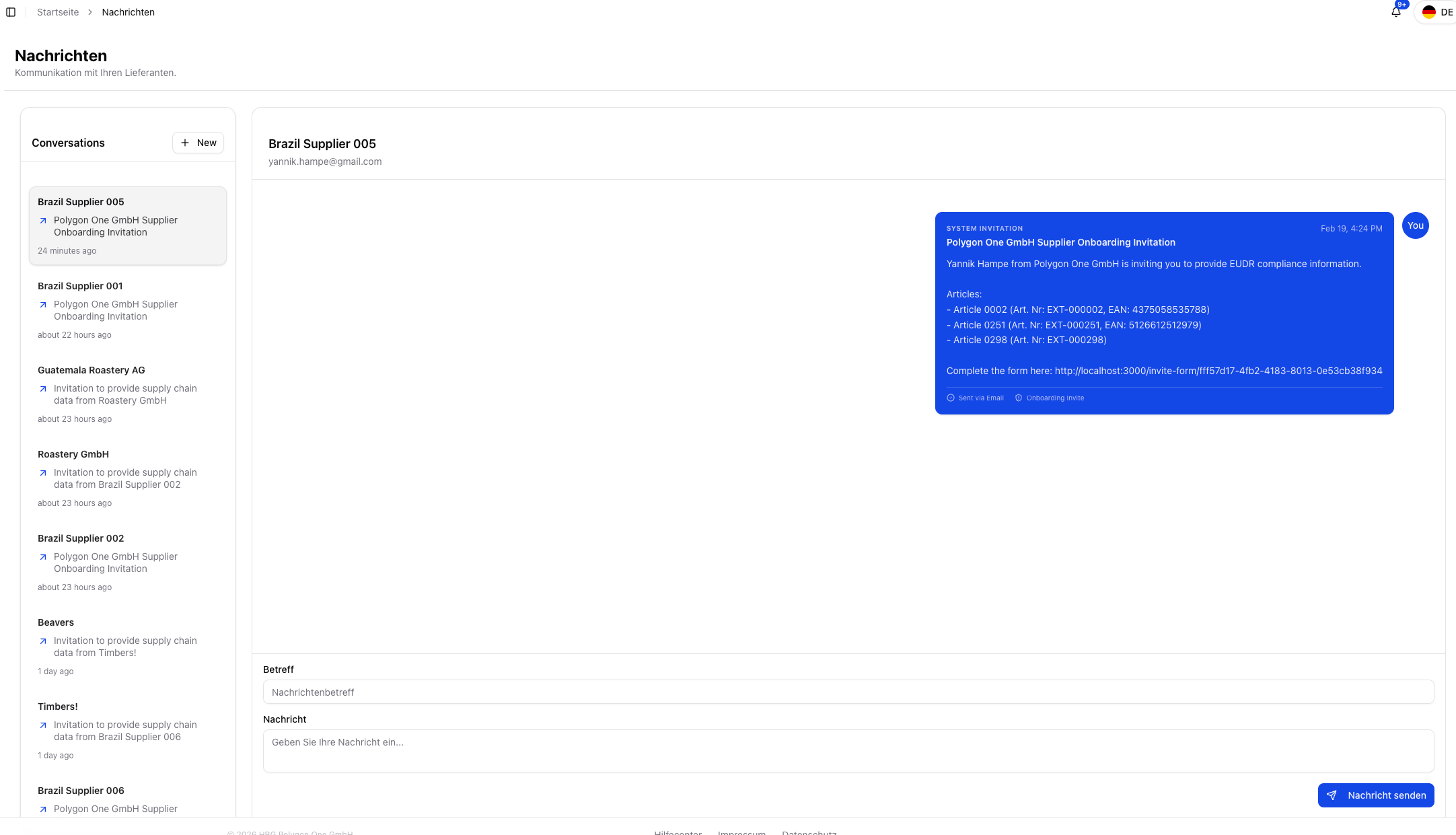
Compose a message
Features
- Message overview — All conversations with suppliers in one place
- Direct communication — Send messages to suppliers without leaving the platform
- Compose a new message — Enter a subject and message text and send it to the supplier
- Supplier context — Jump directly into the relevant conversation from supply chain and compliance views
Send a Message
1
Open Messages
Navigate to the Messages area.
2
Compose a message
Select the supplier and enter a subject and message text.
3
Send
Click “Send message”. The supplier is notified by email.
The messaging system is especially useful when documents have been rejected during risk remediation, when updates are missing, or when you want to contact suppliers directly from the Supply Chain Overview.
Packaging requests (PPWR) in the same inbox
If the PPWR module is active for you, the request threads of your packaging suppliers appear here too — in the same list as the email conversations with your EUDR suppliers, sorted by latest activity. There is no separate tab and no filter; such rows carry the label In-app message (packaging).- Each supplier gets one row, with the latest message as a preview; the full history loads when you open it.
- You reply directly in the opened thread. Your reply lands in the data request’s message history — exactly where the supplier sees it in their supplier portal.
- Threads from delegated sub-requests do not appear here; the list only shows your direct requests.
- New conversation cannot start a new request thread — such a thread comes into being with the data request itself.
For a supplier you only have this request thread with — and no email correspondence — the free-form email composer is not offered. Instead you see the note: “Reply in the request thread above — this supplier is answering in the in-app portal, not by email.” The email address is hidden in that case too.
Your reply in the request thread does not send an email to the supplier — they see it the next time they visit their portal. The other way round, you are notified when the supplier replies.